What is WebGPU GPT Model Demo?
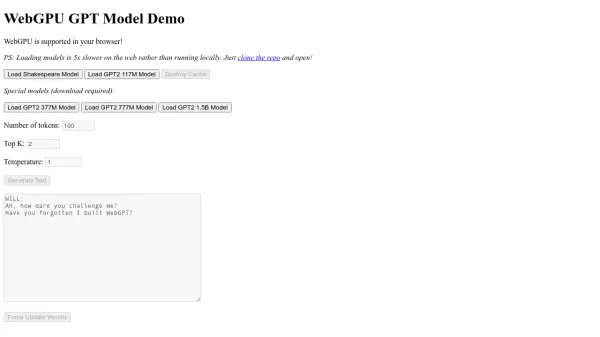
WebGPU GPT Model Demo is an online tool that leverages WebGPU to enable users to interact with different GPT models. It offers a hands-on experience with various models, such as the Shakespeare model and different versions of the GPT-2 model, including the 117M, 377M, 777M, and 1.5B parameter versions. The tool allows you to generate custom text and configure settings like number of tokens, Top K and temperature.
Users should note that model loading on the web is significantly slower compared to local execution. For optimal performance, cloning the repository and running the demo locally is recommended.
Features
- Load Shakespeare Model: Loads a smaller model trained on Shakespearean text.
- Load GPT2 117M Model: Loads the standard GPT-2 117 million parameter model.
- Load GPT2 377M Model: Loads the medium GPT-2 377 million parameter model (download required).
- Load GPT2 777M Model: Loads the large GPT-2 777 million parameter model (download required).
- Load GPT2 1.5B Model: Loads the extra-large GPT-2 1.5 billion parameter model (download required).
- Destroy Cache: Clears the model cache.
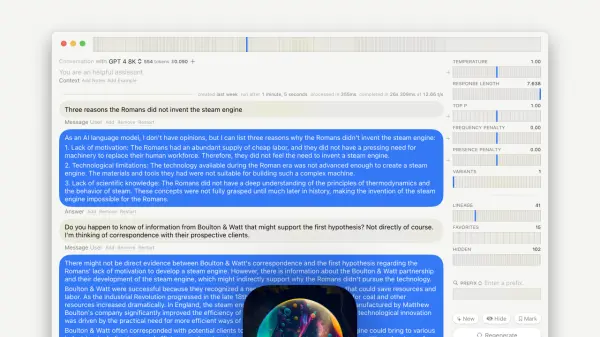
- Adjustable Parameters: Users can modify parameters such as the number of tokens, Top K, and temperature.
- Text Generation: Generates text based on the loaded model and applied parameters.
Use Cases
- Experimenting with different GPT model sizes.
- Generating text for creative writing.
- Testing and comparing the output of various GPT-2 models.
- Learning about the capabilities of different language models.
- Fine-tuning text generation parameters.