What is Web Content Extractor?
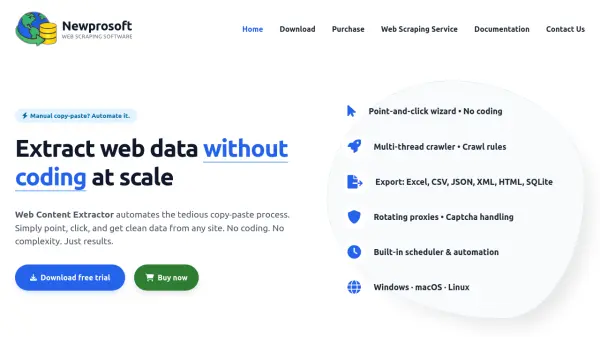
Web Content Extractor automates the tedious process of manually copying and pasting web data by providing a user-friendly, point-and-click interface that requires no coding. It enables users to extract clean, structured data from any website at scale, handling tasks such as e-commerce price monitoring, real estate listings, financial data parsing, and news aggregation with ease.
The software features a smart crawler engine with templated extraction, text transformation scripts, and URL filters, along with rotating proxies and captcha handling to overcome common scraping obstacles. It supports export to multiple formats including Excel, CSV, JSON, XML, HTML, and SQLite, and runs natively on Windows, macOS, and Linux for consistent performance across operating systems.
Features
- Point-and-Click Wizard: No coding required for data extraction
- Multi-Thread Crawler: Efficiently crawls websites with customizable rules
- Export Formats: Supports Excel, CSV, JSON, XML, HTML, SQLite, and more
- Rotating Proxies: Handles IP rotation to avoid blocks
- Captcha Handling: Automatically manages captcha challenges
- Built-in Scheduler: Automates extraction tasks on a schedule
- Cross-Platform Support: Runs on Windows, macOS, and Linux
- Command Line Interface: Enables automation via command line
- URL Filters: Includes ignore/include filters for precise crawling
- Text Transformation Scripts: Allows customization of extracted data
Use Cases
- Monitor competitor prices and stock in e-commerce
- Extract property details and agent information from real estate listings
- Parse stock figures, crypto prices, and economic indicators for financial analysis
- Collect headlines, full text, and metadata from news articles
- Build catalogs with metadata, ratings, and reviews from sites like Goodreads and IMDB
- Aggregate hotel, car rental, and flight offers for travel and hospitality