
What is VoiceBot?
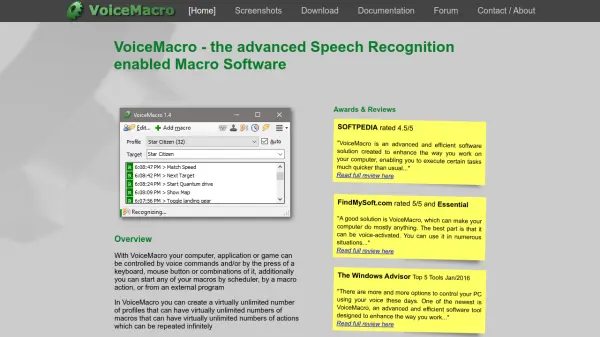
VoiceBot is a software application developed by Binary Fortress Software that provides advanced voice recognition capabilities for controlling games and applications. It allows users to bind voice commands to in-game actions, enabling them to perform simple or complex operations with spoken words. The tool supports full VR compatibility with headsets like Oculus Rift and includes hundreds of premade game profiles for immediate use.
Users can create custom game macros using a simple editor or code complex scripts with the built-in C# code editor. VoiceBot offers features such as syncing game profiles between computers via a Binary Fortress account, global control with custom hotkeys, and sharing custom profiles with the community. It is available through a free trial and can be purchased on Steam for convenient installation and licensing.
Features
- Advanced Voice Recognition: Bind voice commands to in-game actions for simple or complex operations
- Full VR Compatibility: Works with VR headsets including Oculus Rift for immersive gaming
- Ready-to-Use Game Profiles: Hundreds of premade profiles for various games
- Scriptable Game Macros: Create custom macros with a simple editor or C# code editor
- Sync Between Computers: Automatically sync game profiles across computers via Binary Fortress account
- Global Control: Set up custom global hotkeys and voice commands to control VoiceBot from anywhere
- Share with Community: Create and share custom game profiles with other users
- Global Macros: Always-on commands for actions like volume control or window management
- Available on Steam: Installation and licensing handled through Steam for easy access
Use Cases
- Controlling games with voice commands for enhanced gameplay
- Executing keyboard shortcuts and mouse actions in applications via voice
- Creating custom macros for repetitive tasks in games or software
- Using VR headsets with voice control for immersive experiences
- Syncing game settings across multiple computers for consistent use
- Sharing custom voice command profiles with other gamers
- Managing system functions like volume or window control with global macros
FAQs
-
What is the difference between the free and pro versions of VoiceBot?
The free version offers basic voice control features with a 30-day trial, while the pro version includes advanced capabilities like unlimited profiles, custom scripting, and full VR support. -
How do I install VoiceBot on my computer?
VoiceBot can be downloaded from the official website or through Steam for easy installation and licensing management. -
Can I use VoiceBot with non-gaming applications?
Yes, VoiceBot supports voice control for various applications beyond games, allowing users to execute keyboard shortcuts and mouse actions. -
Is VoiceBot compatible with all VR headsets?
VoiceBot is fully compatible with popular VR headsets like Oculus Rift, enhancing immersive gaming experiences. -
How do I create custom voice commands in VoiceBot?
Users can create custom voice commands using the built-in editor for simple macros or the C# code editor for complex scripts.