

What is Voice in a Can?
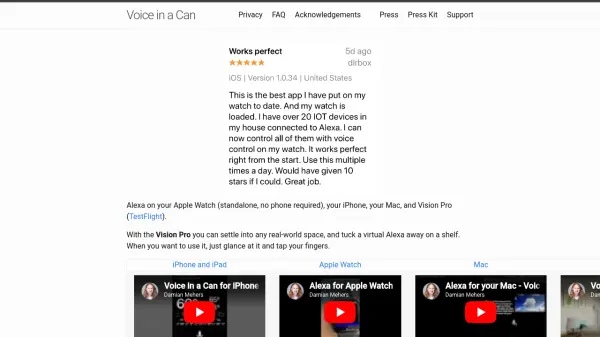
Voice in a Can is a standalone Alexa app for Apple devices, allowing you to use Alexa on your Apple Watch, iPhone, iPad, Mac, and Vision Pro without requiring a phone connection. With the Vision Pro, you can place a virtual Alexa in any real-world space and interact with it by glancing and tapping. The app lets you control home devices, ask questions, manage shopping lists, set timers, and more, offering a seamless voice assistant experience across all your Apple devices. Note that this app is not affiliated with Amazon.
Features
- Cross-Device Support: Works on Apple Watch, iPhone, iPad, Mac, and Vision Pro.
- Standalone Apple Watch: Use Alexa on your watch without a phone nearby.
- Vision Pro Integration: Place a virtual Alexa in your real-world space and interact by looking and tapping.
- Smart Home Control: Control compatible home devices via voice commands.
- Voice Queries: Ask general questions and get answers.
- Shopping List & Timers: Add items to your shopping list and set timers effortlessly.
Use Cases
- Controlling smart home devices while away from phone.
- Ask questions and get information hands-free.
- Manage shopping lists and set timers on Apple Watch.
- Use Alexa on Vision Pro for immersive smart home control.
- Hands-free assistance on Mac or iPad.
FAQs
-
Do I need an Amazon Echo device to use Voice in a Can?
No, Voice in a Can is a standalone app that does not require any Amazon hardware. It brings Alexa directly to your Apple devices. -
Is Voice in a Can affiliated with Amazon?
No, this app is not associated with Amazon. -
Can I use Alexa on my Apple Watch without my phone nearby?
Yes, the Apple Watch version works standalone, meaning it does not require your iPhone to be nearby. -
What devices does Voice in a Can support?
It supports Apple Watch, iPhone, iPad, Mac, and Vision Pro. -
How do I use Alexa on Vision Pro?
You can place a virtual Alexa anywhere in your real-world space. When you want to use it, simply glance at it and tap your fingers.