What is VidTags?
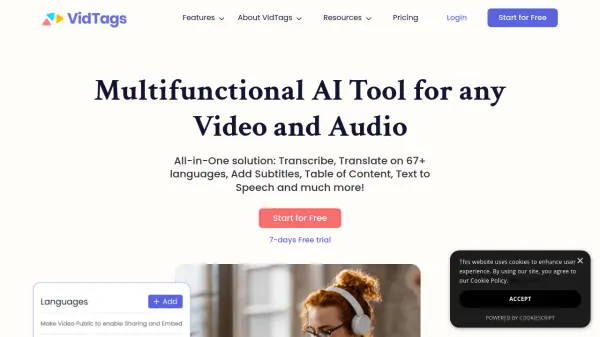
VidTags is a multifunctional AI tool designed to enhance video and audio content. It provides an all-in-one solution for transcribing, translating (into 67+ languages), adding subtitles, creating a table of contents, and converting text to speech, along with a host of other features.
The platform supports browser-based recording and offers text-based video editing, making it incredibly efficient to correct and update content. VidTags also enhances video security with features like password protection and geo-restriction and provides tools for creating customizable video pages. It ensures that all content is easily shareable and embeddable across various platforms.
Features
- Recording & Auto-Transcribe: Browser-based recording with automatic transcription and easy sharing.
- Video Editing: Text-based video editing for quick corrections and streamlined processes.
- Text to Speech: Access to over 190 voices across 35 languages with human-like emotion.
- Video Pages: Customizable video pages with options for titles, descriptions, and embedding.
- Video Security: Features including password protection, geo-restriction, and embedding controls.
Use Cases
- Transforming marketing videos into interactive, searchable resources.
- Creating accessible and comprehensive educational video libraries.
- Enhancing enterprise training and presentation materials.
- Improving public communication and documentation for government agencies.
- Optimizing video content for sales and marketing engagement.
FAQs
-
Is VidTags easy to use, even if I don’t have a lot of technical skills?
It sure is. You don’t need any design or coding skills, and VidTags features an intuitive dashboard that makes it easy to use right out of the box. -
Where can I embed VidTags?
We don’t just provide video hosting and customizations, we also give you the flexibility to embed your VidTags videos on your website, 3rd party sites that allow embed codes. On any; WordPress sites, Clickfunnels, Groovefunnel, Woocommerce, Shopify, Square space, Wix, Webflow, Any CMS platform, Any platform that allows 3rd party codes. Also, if you are a brand user, you can customize your own dashboard with your agency colors, logo, onboarding client URL, custom email notifications, etc. -
Can I use my branding on my videos?
Yes, you can customize your VidTags player, with your own custom colors, themes, logo, and branding. You can also rebrand the video links with your custom domain. Also, if you are a brand user, you can customize your own dashboard with your agency colors, logo, onboarding client URL, custom email notifications, etc. -
Do you offer a money-back guarantee?
We won’t keep your money when you are unsatisfied with your purchase. You have the right to request a full refund for any reason at all if; If you purchased the annual plan and are not satisfied, you have full 30 days You purchased the monthly plan and are not satisfied you have 15 days Guess What? You can also cancel your subscription at any time. No obligation!