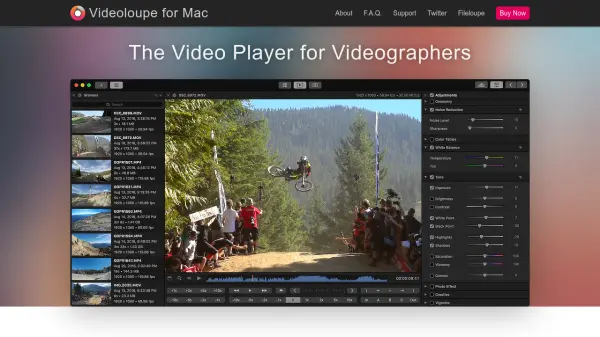
What is Videoloupe?
Videoloupe for Mac provides a comprehensive video playback and editing solution designed specifically for videographers. It bridges the gap between basic media players and complex professional editing suites by offering a unique combination of features in a single application. Users can open multiple videos in one window, synchronize playback across up to nine videos, and apply adjustments like color correction and tone changes without the need for project timelines.
The tool includes advanced functionalities such as waveform scopes for color analysis, watermark and overlay application, and precise export options for frames and video clips. It supports various file formats natively compatible with macOS and integrates with iOS devices for easy video transfer. Videoloupe is optimized for action cameras, DSLRs, and smartphones, providing controls like slow-motion playback and frame-by-frame navigation to enhance video analysis and editing workflows.
Features
- Multiple Players: Open and synchronize playback of up to nine videos in a single window
- Adjustments & Filters: Apply color, tone, and lighting adjustments without project timelines
- Waveform Scopes: Visualize color balance and distribution with RGB waveform scopes
- Watermarks & Overlays: Burn-in timecode, frame count, and custom watermarks to videos
- Advanced Playback Controls: Support slow motion, frame seeking, and bi-directional scrubbing
- Synchronized Players: Control playback of multiple videos simultaneously for comparison
- Timing Analysis: Use independent timers to measure scene durations and offsets
- Export Options: Export frames to images, trim videos losslessly, and merge up to nine videos
Use Cases
- Frame-by-frame video comparison for shot analysis
- Color correction and tone adjustments in video footage
- Adding watermarks or timecode overlays to videos
- Extracting frames or trimming videos for editing purposes
- Synchronizing playback of multiple camera angles
- Analyzing video timing and scene durations
- Batch exporting frames from video sequences
- Merging multiple videos into a single file for sharing