Video Highlight favicon

Video Highlight
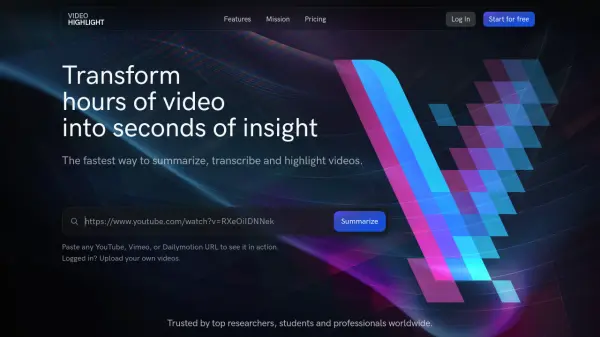
Transform Hours of Video into Seconds of Insight

What is Video Highlight?

Video Highlight is an AI-powered platform designed to streamline video analysis and comprehension. It offers a comprehensive suite of tools to accelerate research, learning, and content creation by transforming lengthy videos into concise, actionable insights.

The platform leverages advanced AI to provide timestamped summaries, transcribe video content in multiple languages, and enable users to interact with videos through a Q&A feature. Users can easily highlight key moments, take notes, and export summaries and transcripts to tools like Notion and Readwise.

Features

  • Summaries: Get a quick overview of the video using timestamped summaries.
  • Key Points: Extract the key points and their location in the video.
  • Transcripts: Quickly transcribe the video content in any language.
  • Smart Search: Search for specific topics or keywords in the summary or transcript.
  • Chat & Video Q&A: Engage with the content using Q&A features.
  • Highlights & Notes: Bookmark important sections and take notes. Think Kindle for videos.
  • Playlists: Organize videos into collections.
  • Export: Export summaries and highlights to Notion or Readwise.
  • Video Alerts: Google Alerts, but for videos.

Use Cases

  • Research analysis
  • Educational learning and note-taking
  • Content creation and summarization
  • Video content review and analysis

FAQs

  • What types of videos are supported?
    The listed features indicates that you can paste any YouTube, Vimeo, or Dailymotion URL. Logged in users can upload their own videos.
  • Can I export my video summaries to other tools?
    Yes, you can export summaries and highlights to Notion or Readwise.
  • Is API access available to integrate Video Highlight with other apps?
    There is not explicit information if there is API access.

Related Queries

Helpful for people in the following professions

Related Tools:

Blogs:

  • Top 6 AI note-taking tools for 2026: in-person, online, and hybrid use cases

    Top 6 AI note-taking tools for 2026: in-person, online, and hybrid use cases

    Most AI note-taking lists are really lists of meeting bots, which join your video call and transcribe it. That's useful, but it's half the picture. Decisions happen in hallway conversations, client dinners, on-site visits, and hybrid rooms where nobody is on a video link. This guide covers different parts of the note-taking workflow: hardware capture for in-person settings, platform-native tools for online calls, and AI layers for organizing and synthesizing what you've captured. It compares six tools by capture context, workflow fit, pricing, and limitations.

  • Best AI tools for trip planning

    Best AI tools for trip planning

    These tools analyze user preferences, budget constraints, and destination details to provide personalized itineraries, suggest optimal routes, recommend accommodations, and even offer real-time updates on weather and local events.

  • Best Content Automation AI tools

    Best Content Automation AI tools

    Streamline your content creation process, enhance productivity, and elevate the quality of your output effortlessly. Harness the power of cutting-edge automation technology for unparalleled results

  • Best AI tools for Product Photography

    Best AI tools for Product Photography

    Explore top AI tools that can elevate your product photography, helping you enhance images, streamline workflows, and create professional visuals with ease.

Didn't find tool you were looking for?

Be as detailed as possible for better results