Veggie AI favicon

Veggie AI
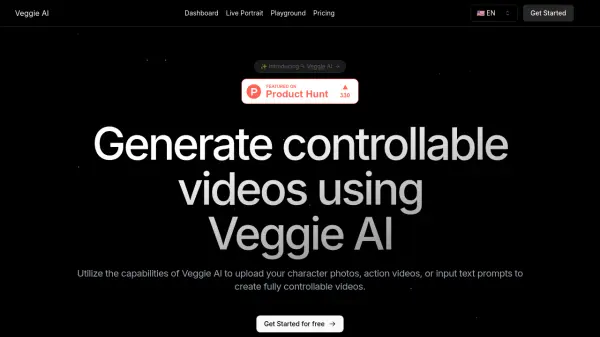
Transform Your Photos into Dynamic Videos

What is Veggie AI?

Veggie AI is an innovative platform that allows users to create 3D animated videos from static images. The process involves uploading a photo and selecting a reference video to determine the animation style. The AI then generates a customized 3D animated video.

Designed with user-friendliness in mind, Veggie AI caters to non-professionals, making the animation process accessible to all. It emphasizes user privacy, ensuring all creations and data are securely protected.

Features

  • Photo to 3D Video: Transform your photos into dynamic 3D animated videos with ease.
  • Easy to Use: Designed for non-professionals, our intuitive interface makes creating animated videos simple and fun.
  • Diverse Animation Styles: Choose from a variety of animation styles to bring your characters to life, from realistic movements to playful dances.
  • Privacy First: Your creations are yours alone. We prioritize your privacy and data security.

Use Cases

  • Creating animated videos for social media.
  • Developing unique content for personal projects.
  • Producing animated videos for commercial use.

Related Tools:

Blogs:

  • Ghibli Art Generator AI tools

    Ghibli Art Generator AI tools

    List of the best AI tools to turn your photos into images that look like Studio Ghibli movies. Easy to use and fun for everyone.

  • Best Content Automation AI tools

    Best Content Automation AI tools

    Streamline your content creation process, enhance productivity, and elevate the quality of your output effortlessly. Harness the power of cutting-edge automation technology for unparalleled results

  • Top 6 AI note-taking tools for 2026: in-person, online, and hybrid use cases

    Top 6 AI note-taking tools for 2026: in-person, online, and hybrid use cases

    Most AI note-taking lists are really lists of meeting bots, which join your video call and transcribe it. That's useful, but it's half the picture. Decisions happen in hallway conversations, client dinners, on-site visits, and hybrid rooms where nobody is on a video link. This guide covers different parts of the note-taking workflow: hardware capture for in-person settings, platform-native tools for online calls, and AI layers for organizing and synthesizing what you've captured. It compares six tools by capture context, workflow fit, pricing, and limitations.

Didn't find tool you were looking for?

Be as detailed as possible for better results