What is Vectorize?
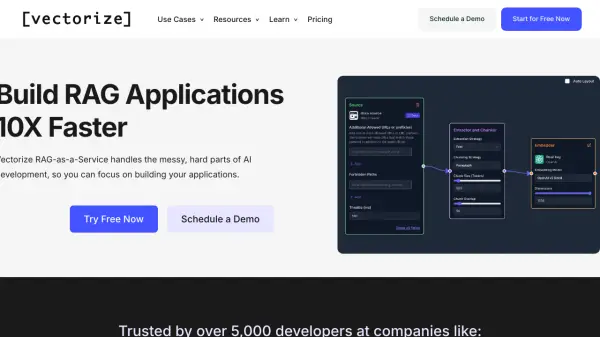
Vectorize offers a Retrieval-Augmented Generation (RAG)-as-a-Service platform, simplifying the complexities of AI development. It enables users to build highly optimized search indexes, ensuring AI applications consistently access the necessary data. The platform handles the intricate aspects of connecting unstructured data, such as PDFs, Word documents, and PowerPoints, to Large Language Models (LLMs).
Vectorize facilitates the creation and updating of vector indexes within preferred vector databases, transforming raw data into AI-ready vectors. It provides advanced capabilities, including a powerful vision model for document chunking and a retrieval API for seamless integration. The service is designed for ease of use, allowing users to build accurate RAG applications without extensive expertise in data engineering or machine learning.
Features
- RAG-as-a-Service: Simplifies building Retrieval-Augmented Generation applications.
- Automatic Data Extraction: Extracts text, images, and tables from PDFs, Word Docs, PowerPoints, and more.
- Optimized Search Indexes: Builds highly optimized vector search indexes.
- Vectorize Iris: Powerful vision model for precise chunking of complex documents.
- Retrieval API: Quickly integrate vector search data into applications.
- Reranking & Relevancy: Improves retrieval performance with built-in reranking model and relevancy scoring.
- RAG Evaluation: Automates analysis to find the best embedding model and chunking strategy.
- Query Rewriting: Handles conversational AI challenges like subject changes and ambiguity.
- RAG Sandbox: Tests retrieval, prompts, and LLM inference performance.
- Multi-Source Integration: Ingests data from documents, knowledge bases, and SaaS platforms.
- Vector Database Integration: Creates and updates vector indexes in various vector databases.
Use Cases
- Building Question Answering Systems
- Developing AI Copilots
- Automating Call Centers
- Streamlining Content Automation
- Enabling Hyper-personalization
- Integrating customer data into AI features
FAQs
-
Can I change my plan later?
Yes, you can upgrade or downgrade an organization's plan as needed. See 'Change Your Plan' in the documentation for more information. -
What is your cancellation policy?
You can cancel your plan at any time in the admin console. Your plan will not renew at the end of the current billing period, and you will retain access until then. -
What constitutes a page in billing?
A page is defined as 3KB of extracted text. -
Do I have to use the Vectorize API to query my data?
No, you can query data via the Vectorize API, retrieval endpoint, or directly query your vector database. -
How does usage-based billing work?
Vectorize bills based on the number of pages processed per organization. Each plan includes a fixed amount of processing, with options to pay for additional processing and retrievals beyond that allocation.