What is Utiliqs?
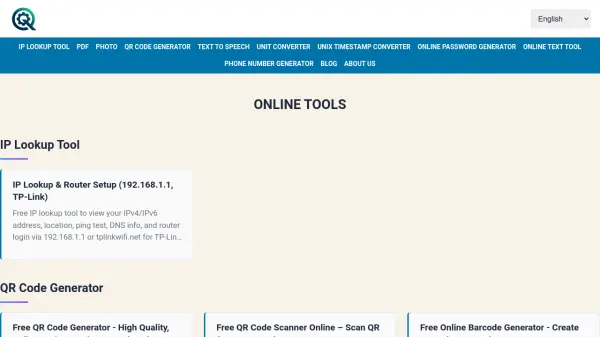
Utiliqs provides a collection of online tools that are fast, multilingual, and privacy-friendly, developed by an independent developer. The platform includes features such as IP lookup for viewing IPv4/IPv6 addresses and router setup, QR code generation for creating high-quality codes for various purposes, and text-to-speech conversion with natural voices and MP3 downloads. It also offers unit converters for length, weight, temperature, and power-to-weight ratio, along with PDF tools for merging, converting Excel/HTML/text to PDF, and image merging for creating collages.
Additional utilities include a dummy phone number generator for testing, a Unix timestamp converter, an online password generator for creating strong passwords, and text processing tools for find-and-replace operations. The tools are designed to be simple, useful, and accessible without requiring software installation or registration, supporting multiple languages and devices for global use.
Features
- IP Lookup Tool: View IPv4/IPv6 addresses, location, ping test, DNS info, and router login via 192.168.1.1 or tplinkwifi.net
- QR Code Generator: Create high-quality, watermark-free QR codes for URLs, contacts, YouTube, Wi-Fi, business cards, WhatsApp, surveys, posters, and vCard, with CSV bulk creation support
- Text to Speech: Convert text to audio with natural voices, unlimited TTS, and MP3 downloads, supporting multiple languages including English and Arabic
- Unit Converter: Convert length, weight, temperature, and power-to-weight ratio with quick calculations and conversion tables
- PDF Tools: Merge multiple PDFs, convert Excel, HTML, and text files to PDF, and process documents without installation or registration
- Image Merger: Combine multiple images vertically, horizontally, or in grids for photo collages and comparisons
- Dummy Phone Number Generator: Generate realistic dummy phone numbers for over 30 countries for software testing and privacy protection
- Online Password Generator: Create strong, random passwords with customizable length, symbols, numbers, and casing for various accounts
- Online Text Tool: Perform find-and-replace operations and text processing for editing and data analysis
Use Cases
- Network diagnostics and IP address management for IT professionals
- Creating QR codes for marketing materials, business cards, and event promotions
- Generating audio from text for content creation, education, or accessibility purposes
- Converting units for cooking, fitness, logistics, or scientific applications
- Merging and converting PDFs for document management and sharing
- Combining images for photo collages, comparisons, or creative projects
- Testing software and forms with dummy phone numbers without privacy risks
- Generating secure passwords for online accounts like Apple ID, Gmail, or banking
- Editing and processing text for writing, development, or data analysis tasks