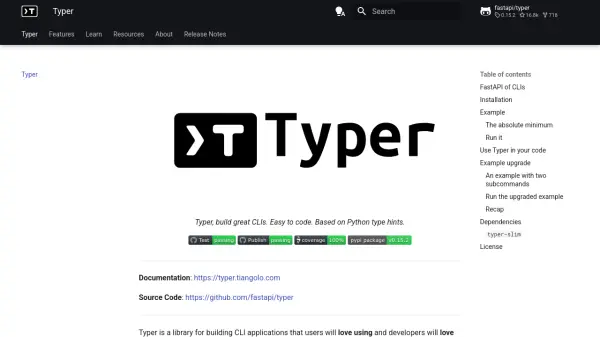
What is Typer?
Facilitates the creation of command-line interface (CLI) applications by leveraging Python type hints. This approach simplifies the development process, offering strong editor support, code completion, and reduced debugging time.
The library automatically generates help messages and provides shell completion for end-users across various shells like Bash, Zsh, Fish, and PowerShell. It allows developers to start with simple scripts and scale up to complex applications with nested commands, subcommands, options, and arguments, minimizing code duplication. Additionally, Typer includes a command-line tool to run Python scripts directly as CLI applications.
Features
- Intuitive Writing: Leverages Python type hints for defining CLI parameters, offering great editor support and completion.
- Automatic Help Generation: Automatically creates informative help messages (`--help`) for commands and parameters.
- Shell Auto-completion: Provides automatic command and argument completion for various shells (Bash, Zsh, Fish, PowerShell).
- Easy to Use: Simplifies CLI creation for developers and provides a user-friendly experience for end-users.
- Scalability: Suitable for simple scripts up to arbitrarily complex trees of commands and subcommands.
- Code Minimization: Reduces boilerplate code by deriving CLI logic from function signatures and type hints.
- Typer Command: Includes a utility to run Python scripts as CLIs without modifying the script code.
Use Cases
- Developing command-line tools for Python projects.
- Creating utility scripts with user-friendly interfaces.
- Building complex CLI applications featuring subcommands and options.
- Automating tasks through scriptable interfaces.
- Providing easy-to-use CLIs for Python libraries or frameworks.
- Quickly converting simple scripts into CLI applications.
FAQs
-
What is Typer based on?
Typer is built on top of the Click library and leverages standard Python type hints for its functionality. -
How is Typer installed?
Typer can be installed using pip with the command: `pip install typer`. -
Does Typer support shell auto-completion?
Yes, Typer automatically generates shell completion scripts for Bash, Zsh, Fish, and PowerShell, which can be installed by users. -
Can Typer run scripts that don't explicitly use the Typer library?
Yes, the `typer` command-line tool can execute Python scripts, automatically converting function parameters with type hints into a CLI interface. -
What are the main dependencies of Typer?
The core required dependency is Click. Optional dependencies for enhanced features include `rich` for formatted errors and `shellingham` for automatic shell detection during completion installation.