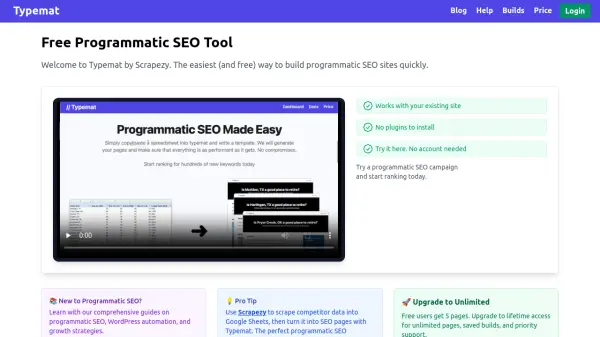
What is Typemat?
Typemat is a programmatic SEO tool designed to simplify the creation of SEO-optimized pages by leveraging data from Google Sheets. It allows users to map spreadsheet columns to post elements such as titles, slugs, and categories, generating dynamic content without the need for plugins. The platform supports HTML templates with variable insertion for customized page creation.
Users can export their generated pages as XML files for direct import into WordPress or Wix, with options to split files for easier management. Typemat integrates with Scrapezy for scraping competitor data, forming a complete workflow for programmatic SEO campaigns. The tool offers a free tier with limited pages and a lifetime upgrade for unlimited access and priority support.
Features
- Google Sheets Integration: Fetch and update data from public Google Sheets URLs for dynamic content creation
- Column Mapping: Map spreadsheet columns to post elements such as title, slug, categories, and tags for automated page generation
- HTML Templates: Use HTML templates with dynamic variables like {{ variable }} to create customized SEO pages
- XML Export: Export generated pages as XML files for direct import into WordPress, Wix, or Squarespace
- SEO Optimization: Support for dynamic SEO metatags, slugs, and category structures to improve search engine rankings
- File Splitting: Split large exports into multiple files (e.g., every 500 posts) for easier upload and management on hosting platforms
Use Cases
- Creating hundreds of SEO pages for local business directories from a dataset of cities and services
- Generating product pages for e-commerce sites using spreadsheet data with titles, descriptions, and categories
- Building content-rich blogs with automated posts based on data from competitor analysis scraped with Scrapezy
- Setting up niche websites with programmatic content for affiliate marketing or informational purposes
- Automating the creation of landing pages for real estate listings or job boards from structured data
FAQs
-
How does Typemat integrate with Google Sheets?
Typemat allows users to paste a public Google Sheets URL and specify the sheet name to fetch data, which updates each time the page is opened for dynamic content creation. -
What platforms support importing XML files from Typemat?
Typemat exports XML files that can be directly imported into WordPress, Wix, and Squarespace using their built-in import functionality. -
Can I test Typemat before committing to a full export?
Yes, Typemat offers options to export a limited number of posts (e.g., first post only, first 5 posts, or first 10 posts) for testing purposes before exporting all posts. -
How does Typemat handle large datasets?
Typemat provides file splitting features, allowing users to create multiple XML files at intervals such as every 100, 300, 500, or more posts to manage large uploads on hosting platforms. -
What is the difference between the free and paid versions of Typemat?
The free version of Typemat allows creation of up to 5 pages, while the lifetime upgrade offers unlimited pages, saved builds, and priority support for a one-time fee.