What is Tutor LMS?
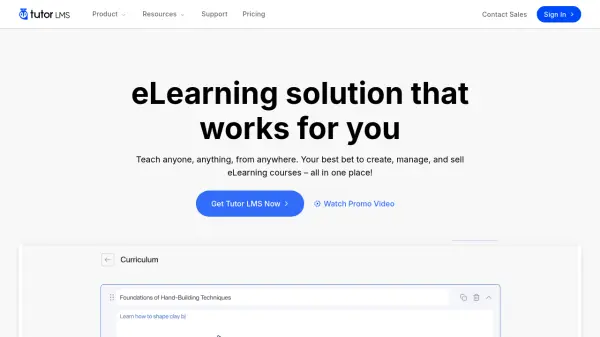
Tutor LMS is a robust Learning Management System (LMS) plugin designed for WordPress websites, enabling users to create, manage, and sell online courses efficiently. It features an intuitive drag-and-drop course builder for designing engaging curriculums, including lessons and quizzes with multimedia support. The platform facilitates various monetization strategies, offering native eCommerce capabilities to sell courses directly through popular payment gateways, establish subscription models for recurring revenue, or bundle courses together for package deals. It also supports multi-instructor setups, allowing users to build their own eLearning marketplaces with integrated revenue sharing.
Beyond core course creation and sales, Tutor LMS provides advanced functionalities to enhance the learning experience and administrative oversight. It incorporates an AI Studio feature that can generate entire courses, including content structure and feature images, streamlining the course development process. The system includes comprehensive analytics for tracking course performance, sales trends, and student progress. Customization options extend to branding, certificate design using a visual builder, and tailored email communications. Tutor LMS integrates seamlessly with various third-party tools, including live class platforms like Zoom and Google Meet, CRM systems, and page builders, offering a versatile solution for educators, businesses, and entrepreneurs aiming to establish a professional online learning presence.
Features
- AI Studio: Generate entire courses, topics, lessons, quizzes, and feature images using AI.
- Drag-and-Drop Course Builder: Visually design courses and curriculums with ease.
- Quiz Builder: Create engaging quizzes with multiple question types and multimedia.
- Native eCommerce: Sell courses directly with built-in payment gateway support (PayPal, Stripe, etc.).
- Subscriptions & Memberships: Offer recurring revenue models for course access or site-wide membership.
- Certificate Builder: Design and award custom certificates to learners.
- Advanced Analytics: Track course performance, sales trends, student progress, and more.
- Content Drip: Schedule the release of course content over time.
- Integrations: Connects with tools like Zoom, Google Meet/Classroom, WooCommerce, BuddyPress, etc.
- Multi-Instructor Support: Build an eLearning marketplace with multiple instructors and revenue sharing.
Use Cases
- Creating and selling online courses for individual educators or businesses.
- Building multi-instructor eLearning marketplaces.
- Offering exclusive content through membership sites.
- Facilitating community-based social learning platforms.
- Delivering corporate employee training and compliance programs.
- Launching coaching programs with structured content delivery.
FAQs
-
Can I use Tutor LMS in a different language?
Yes, Tutor LMS is multilingual supported and can be translated using popular translation plugins like WPML, Weglot, etc. -
Can I migrate from another LMS?
Yes, you can migrate your users, course data, and other content from LearnDash, LearnPress, or Lifter LMS to Tutor LMS using the free Tutor LMS Migration Tool plugin. -
Does Tutor LMS take any cut of my course revenue?
No, Tutor LMS doesn’t take any percentage cut from your course revenue. -
Do you offer discounts for nonprofits?
Yes, we offer 30% discounts for nonprofit organizations. Please reach out to the sales team to discuss eligibility. -
Can I upgrade my plan?
Absolutely! You can upgrade your Tutor LMS plan to a higher tier at any time.