What is TubeRepeat?
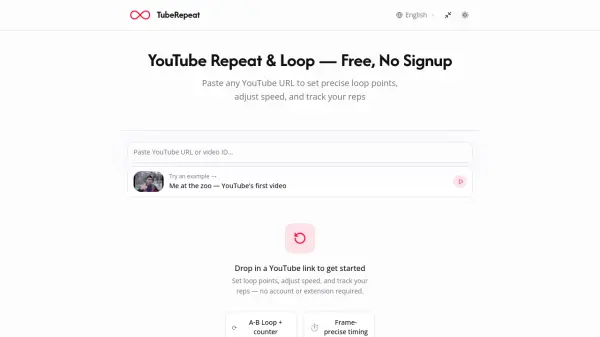
TubeRepeat is a browser-based YouTube loop and repeat tool designed for deliberate, focused practice. Users paste any YouTube URL, mark a start (A) and end (B) point with tenth-of-a-second precision, and that segment plays on infinite repeat, no scrubbing, no interruptions, no account or browser extension required. The tool supports variable playback speeds from 25% to 200%, adjustable in 0.05× increments, so learners can slow down complex passages and gradually build up to full tempo. A progressive speed training mode automatically increases the tempo every N loops, replicating the conservatory practice method used by professional musicians.
Beyond simple looping, TubeRepeat offers full session control, including keyboard shortcuts for hands-free A/B point setting, a rep counter to track drilling progress, and named session saving. Every loop session generates a unique shareable URL that encodes the video, start point, end point, and speed, allowing teachers, bandmates, or classmates to instantly restore the same practice session on any device. TubeRepeat serves a wide range of users, from instrumentalists breaking down difficult riffs to language learners shadowing native speakers and students reviewing lecture segments.
Features
- Precision A-B Loop Points: Mark any start and end point down to the tenth of a second to isolate and repeat exact video segments endlessly.
- Variable Speed Playback: Adjust video speed from 25% to 200% in 0.05× steps for detailed slow-motion study or above-tempo training.
- Progressive Speed Training: Automatically increases playback tempo every N loops to replicate the conservatory practice method without manual adjustment.
- Keyboard Shortcuts & Rep Tracking: Set A and B points mid-session with S/E keys and monitor a rep counter to track how many times each section has been drilled.
- Save, Share & Restore Sessions: Every loop session generates a unique URL encoding video, A point, B point, and speed for instant sharing and restoration on any device.
- No Account or Extension Required: Works entirely in the browser — paste a YouTube URL and start looping in under 30 seconds.
Use Cases
- Musicians and instrumentalists looping difficult riffs, runs, or fills at reduced speed and progressively increasing tempo
- Language learners shadowing native speakers by repeating short pronunciation or dialogue clips dozens of times
- Dance and choreography students breaking down complex footwork frame by frame with slow-motion looping
- Students reviewing specific 30-second lecture segments they didn't understand, at reduced speed while taking notes
- Music teachers sharing precise loop sessions with students via a single shareable link
- Athletes drilling technique by looping instructional video segments at variable speeds
How It Works
Paste Your YouTube URL
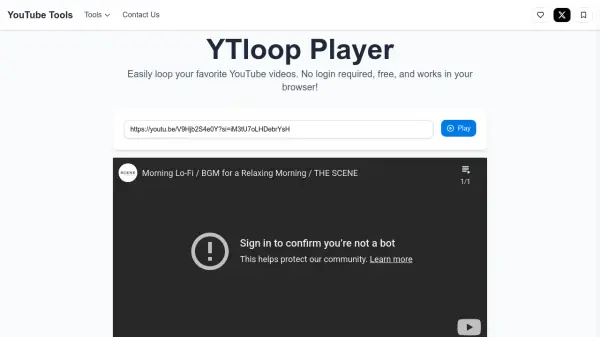
Copy any YouTube video link and drop it into the input field at the top of the TubeRepeat page. No account, browser extension, or download is required — the tool works instantly in your browser.
Set Your A-B Loop Points
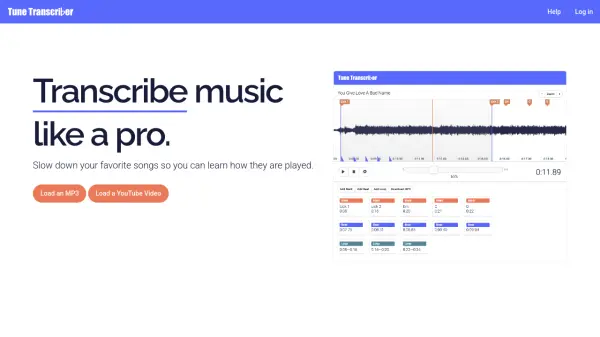
Mark your start (A) and end (B) points with second-level precision by dragging the timeline handles or typing exact timestamps. You can also use the S and E keyboard shortcuts to set points hands-free mid-playback.
Repeat Until You've Nailed It
Your selected segment loops on repeat automatically. Adjust the playback speed from 25% to 200%, enable progressive speed training to auto-escalate tempo, track your rep count, save the session, and share it via a unique URL.
FAQs
-
How do I loop a YouTube video with TubeRepeat?
Paste any YouTube video URL into the input field at the top of the TubeRepeat page, set your desired A (start) and B (end) points, and the selected segment will begin looping automatically in your browser — no account or extension needed. -
Can I repeat only a specific section of a YouTube video?
Yes. TubeRepeat's A-B repeat mode lets you mark a precise start and end point — down to the tenth of a second — so only that segment repeats endlessly without any manual scrubbing. -
Does TubeRepeat work on mobile devices?
According to the website, TubeRepeat is designed to work in the browser, though the FAQ section references mobile compatibility. Check the tool's FAQ directly for the most current mobile support details. -
What is progressive speed training in TubeRepeat?
Progressive speed training automatically increases the playback tempo by a set amount every N loops, following the deliberate practice method used in conservatories — helping users build speed gradually without manually adjusting the slider. -
Can I share my loop session with someone else?
Yes. Every loop session generates a unique URL that encodes the video, A point, B point, and playback speed. Share this link with a teacher, bandmate, or classmate and they will instantly load the exact same practice session on their device.