What is TTS Vibes?
TTS Vibes leverages advanced text-to-speech artificial intelligence to convert written text into high-quality voice overs suitable for various digital platforms. The tool offers an extensive library of more than 162 distinct voice styles, including popular TikTok voices like Jessie, Natasha, and Dan Dan, as well as character voices from franchises such as Disney, Marvel, and Star Wars. Users can select from 33 supported languages and generate audio with options for different emotional tones and styles, from conversational to singing voices.
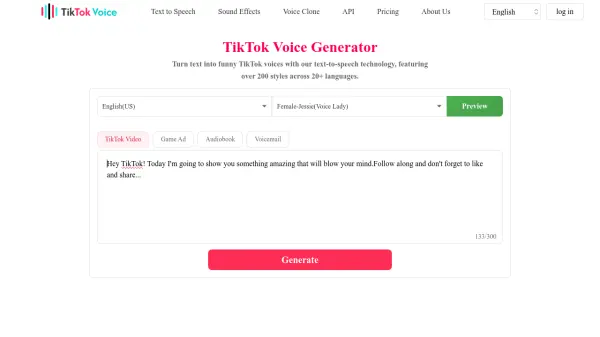
The platform provides a straightforward three-step process for creating voice overs, allowing users to preview and download generated audio files. It supports content creation needs across social media, e-learning, narration, and entertainment, with both free and premium subscription tiers available for enhanced features and voice access.
Features
- Voice Library: Over 162 unique AI voice styles including TikTok favorites, Disney characters, and seasonal voices
- Multi-language Support: Text-to-speech conversion in 33 languages including English, Spanish, French, and Asian languages
- Free Tier: Unlimited generations with non-premium voices and 300 character limit
- Download Capability: Generate and download audio files for offline use and editing
- Character Voices: Includes popular voices like Ghostface, Deadpool, Santa Claus, and Star Wars characters
Use Cases
- Creating voice overs for TikTok videos and social media content
- Generating narration for e-books and educational materials
- Producing character voices for entertainment and storytelling projects
- Creating singing voice tracks for musical content
- Developing audio for video editing and content creation across platforms
FAQs
-
What types of voices are available in TTS Vibes?
TTS Vibes offers over 162 voice styles including popular TikTok voices like Jessie and Natasha, character voices from Disney, Marvel, and Star Wars, seasonal voices like Santa Claus, and various emotional tones from calm to excited. -
Can I use TTS Vibes for commercial purposes?
The tool is designed for content creation across platforms including commercial use, with generated audio available for download and integration into videos and projects. -
What is the difference between free and premium voices?
Free users have access to non-premium voices with a 300 character limit, while premium plans offer access to premium voices with higher word credits and no character limits. -
How do I download generated audio files?
After generating a voice over, users can preview the audio and use the download button to save the file for offline use and editing. -
Are there any usage limits on the free plan?
The free plan allows unlimited generations with non-premium voices but has a 300 character limit per generation.