
What is trycoderai.com?
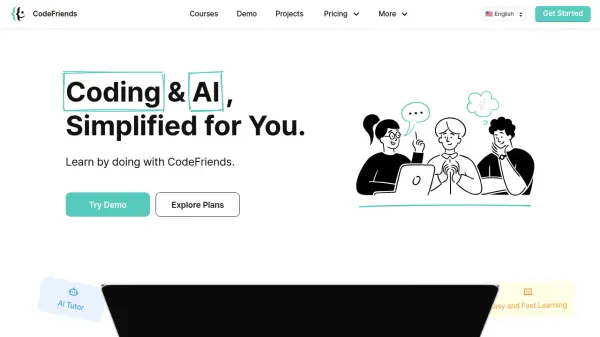
Coder is an AI-powered web development tool designed to facilitate hands-on learning by guiding users through building their first web page. It offers a browser-based editor with real-time HTML previews, allowing users to see their code come to life instantly while understanding each component they create. The tool emphasizes AI-assisted learning rather than replacement, teaching fundamentals and collaboration with modern AI tools.
With no installation required, Coder runs in any browser and includes an open AI assistant that answers questions and provides explanations. It is free, open-source under the AGPL-3.0 license, and customizable for educational use, making it ideal for classrooms and self-paced learning.
Features
- Easy, Simple HTML: Start with clean, beginner-friendly HTML that's easy to understand and modify.
- Open AI Assistant: Ask questions about the page and receive friendly, useful answers that teach along the way.
- Real-Time HTML Preview: Watch your web page come to life instantly as you learn and tweak your code.
- No Setup Required: Just open the link and start learning—no installs or configuration needed.
- Free & Open Source: Completely free to use with full source code available for customization and learning.
- Bring Your Own AI: Use any LLM or connect tools like n8n through custom webhooks for personalized assistance.
Use Cases
- Learning web development fundamentals with AI guidance
- Classroom teaching of HTML and CSS in educational settings
- Experimenting with code at a self-paced rate for curious learners
- Building first web pages with real-time feedback and previews
- Customizing AI-assisted coding tools for specific curriculum needs
FAQs
-
What programming languages does Coder support?
Coder supports HTML and CSS for building web pages, with an AI assistant to guide users through these fundamentals. -
Is Coder suitable for advanced developers?
Coder is primarily designed for beginners, students, and educators to learn web development basics with AI assistance, but it can be customized for more advanced use. -
Can I use Coder offline?
No, Coder runs in a browser and requires an internet connection to access the AI assistant and real-time features. -
How does the AI assistant in Coder work?
The AI assistant answers questions about the web page, provides explanations, and offers guidance to help users learn and collaborate effectively with AI tools. -
What is the license for Coder's source code?
Coder's source code is available under the AGPL-3.0 license, making it free for educational use and open for community contributions.