tow.com favicon

tow.com
Personal website and portfolio of indie software artist Adam Tow

What is tow.com?

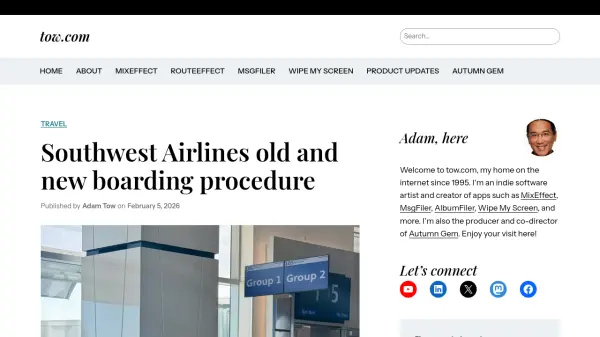
tow.com serves as the personal website and portfolio of Adam Tow, an independent software artist and developer. The website showcases his professional background, including his education at Stanford University with a focus on human-computer interaction, and his experience as a Reuters Digital Vision Fellow working on technology for internet access in developing regions.

The site features blog content covering diverse topics such as software updates for his applications, technology reviews, travel experiences, and personal interests like running. It also provides information about his software products including MixEffect, RouteEffect, MsgFiler, Wipe My Screen, and AlbumFiler, along with details about his documentary film production Autumn Gem.

Features

  • Personal Blog: Regular posts about technology, software, travel, and personal interests
  • Software Portfolio: Showcases applications like MixEffect, MsgFiler, and Wipe My Screen
  • Professional Background: Detailed information about education and career history
  • Content Categories: Organized posts covering Apple, Software, Tech, Travel, and Exercise topics

Use Cases

  • Following software development updates and releases
  • Reading technology reviews and analysis
  • Exploring personal blogging about diverse interests
  • Learning about indie software development projects

Related Tools:

Blogs:

  • Best Content Automation AI tools

    Best Content Automation AI tools

    Streamline your content creation process, enhance productivity, and elevate the quality of your output effortlessly. Harness the power of cutting-edge automation technology for unparalleled results

  • Top 6 AI note-taking tools for 2026: in-person, online, and hybrid use cases

    Top 6 AI note-taking tools for 2026: in-person, online, and hybrid use cases

    Most AI note-taking lists are really lists of meeting bots, which join your video call and transcribe it. That's useful, but it's half the picture. Decisions happen in hallway conversations, client dinners, on-site visits, and hybrid rooms where nobody is on a video link. This guide covers different parts of the note-taking workflow: hardware capture for in-person settings, platform-native tools for online calls, and AI layers for organizing and synthesizing what you've captured. It compares six tools by capture context, workflow fit, pricing, and limitations.

  • Chat with PDF AI Tools

    Chat with PDF AI Tools

    Easily interact with your PDF documents using our advanced AI-powered tool. Whether you're reading lengthy reports, research papers, contracts, or eBooks, our platform lets you chat directly with your PDF files, ask questions, extract insights, and get summaries in real-time.

Didn't find tool you were looking for?

Be as detailed as possible for better results