What is TikRip?
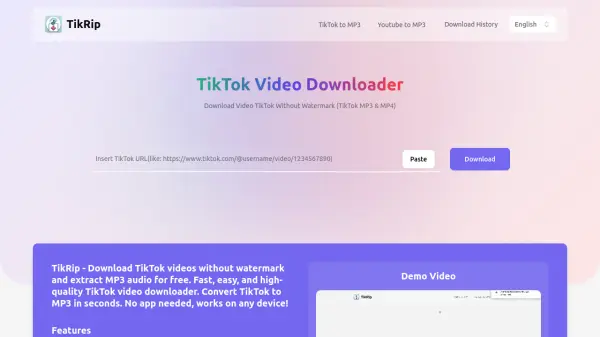
TikRip provides users with a seamless solution for downloading TikTok videos without watermarks and extracting high-quality MP3 audio directly from TikTok links. This online service is accessible from any device and does not require account registration, app installation, or browser extensions. Users simply copy the TikTok video URL, paste it into TikRip, and select their preferred file format for immediate download.
The tool ensures all downloads are fast, secure, and maintain the video or audio's original quality. TikRip also allows for easy access to previously downloaded files through its download history feature. Its intuitive interface and step-by-step process make it suitable for both casual and frequent users seeking to save TikTok content for personal use, research, or offline viewing.
Features
- Watermark-Free Downloads: Save TikTok videos without watermark.
- MP3 Conversion: Extract high-quality MP3 audio from TikTok videos.
- Fast Processing: Quick conversion between MP4 and MP3 formats.
- No Registration Needed: Use the service without account signup.
- Device Agnostic: Access and operate on mobile, tablet, or desktop.
- Secure Downloads: Ensures safety and privacy during file download.
Use Cases
- Archiving favorite TikTok videos for offline viewing.
- Extracting audio from TikTok content for playlists or podcasts.
- Saving educational or research TikTok videos without watermarks.
- Reusing TikTok video clips for personal projects or presentations.
- Accessing and organizing TikTok content across different devices.
FAQs
-
Do I have to pay to use TikTok download without watermark?
No, TikRip is a completely free service. -
Do I need to register an account?
No registration is required to use TikRip. -
Do I need to install an extension to use the TikTok Downloader?
No, you do not need to install any extensions or apps. -
Where are TikTok videos saved after downloading?
Downloaded videos are saved to the default download folder of your device. -
Can I download TikTok videos in HD quality?
Yes, TikRip supports downloading TikTok videos in high-definition quality.