Thread favicon

Thread
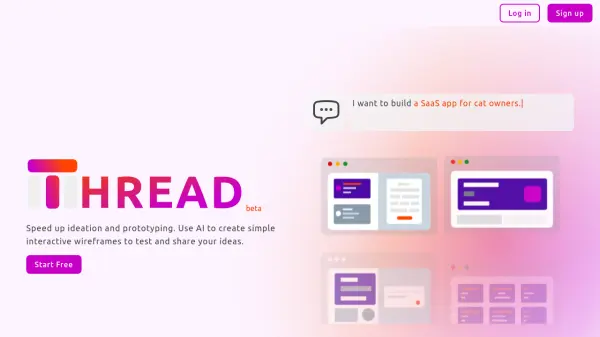
Speed up ideation and prototyping with AI-powered interactive wireframes.

What is Thread?

Thread accelerates the design process by generating interactive wireframes. It facilitates quick prototyping and testing of user experience (UX) before detailed design or coding.

This tool eliminates the need for specialized design software, making it accessible for designers, developers, and product managers to improve user flows and gather feedback.

Features

  • Fast Wireframe Creation: Quickly mock up ideas for presentations and testing.
  • UX Testing: Evaluate user flows and interactions before detailed designs or coding.
  • User-Friendly Interface: No specialized design skills required; input descriptions to generate wireframes.
  • Customization Options: Refine wireframes with additional instructions or manual editing.
  • Shareable Prototypes: Easily share concepts with others.

Use Cases

  • Rapidly prototyping app ideas.
  • Testing user experience (UX) designs early in the development process.
  • Sharing design concepts with stakeholders and team members.
  • Creating interactive wireframes for presentations.
  • Facilitating user flow and interaction testing.

Helpful for people in the following professions

Related Tools:

Blogs:

  • Best ai tools for Twitter Growth

    Best ai tools for Twitter Growth

    The best AI tools for Twitter's growth are designed to enhance user engagement, increase followers, and optimize content strategy on the platform. These tools utilize artificial intelligence algorithms to analyze Twitter trends, identify relevant hashtags, suggest optimal posting times, and even curate personalized content.

  • Top 6 AI note-taking tools for 2026: in-person, online, and hybrid use cases

    Top 6 AI note-taking tools for 2026: in-person, online, and hybrid use cases

    Most AI note-taking lists are really lists of meeting bots, which join your video call and transcribe it. That's useful, but it's half the picture. Decisions happen in hallway conversations, client dinners, on-site visits, and hybrid rooms where nobody is on a video link. This guide covers different parts of the note-taking workflow: hardware capture for in-person settings, platform-native tools for online calls, and AI layers for organizing and synthesizing what you've captured. It compares six tools by capture context, workflow fit, pricing, and limitations.

Didn't find tool you were looking for?

Be as detailed as possible for better results