What is Text Encrypter?
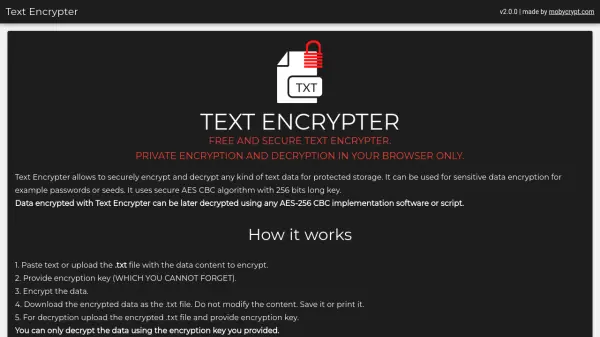
Text Encrypter is a web-based tool designed for secure text encryption and decryption, operating entirely within your browser to ensure data privacy. It utilizes the AES-256 CBC algorithm with a 256-bit key length, providing robust encryption for sensitive information such as passwords or seeds. Users can encrypt data by pasting text or uploading .txt files, then decrypt it later using the same encryption key, with compatibility across any AES-256 CBC implementation.
The tool works offline, allowing users to open it in private mode and disconnect from the internet for enhanced security. It features random IV vector generation and PKCS7 payload padding, with encryption keys derived from SHA-256 hashed passwords. This makes it ideal for protecting data without relying on external servers or internet connections.
Features
- AES-256 CBC Algorithm: Uses secure AES CBC with 256-bit key length for robust encryption
- Offline Browser Operation: Works entirely in your browser, enabling use without internet connectivity
- File Upload Support: Allows encryption and decryption of .txt files for easy data handling
- SHA-256 Key Hashing: Derives encryption keys from SHA-256 hashed passwords for enhanced security
- Random IV Generation: Includes random initialization vector generation to improve encryption strength
- PKCS7 Padding: Implements PKCS7 payload padding for secure data formatting
Use Cases
- Encrypting sensitive passwords for secure storage
- Protecting cryptocurrency seeds or private keys
- Securing confidential text data in offline environments
- Encrypting .txt files for safe backup or transfer
- Decrypting data using compatible AES-256 CBC tools
FAQs
-
What encryption algorithm does Text Encrypter use?
Text Encrypter uses the AES-256 CBC algorithm with a 256-bit key for secure encryption and decryption. -
Can I use Text Encrypter without an internet connection?
Yes, Text Encrypter works entirely in your browser, allowing offline use for enhanced privacy and security. -
What types of files can I encrypt with Text Encrypter?
Text Encrypter supports .txt files for encryption and decryption, handling text/plain content only. -
How do I ensure my data is safe when using Text Encrypter?
For maximum safety, open the tool in a private mode tab and turn off your internet connection during encryption or decryption processes. -
Can I decrypt data encrypted with Text Encrypter using other software?
Yes, data encrypted with Text Encrypter can be decrypted using any software or script that implements the AES-256 CBC algorithm.