What is SurveyKing?
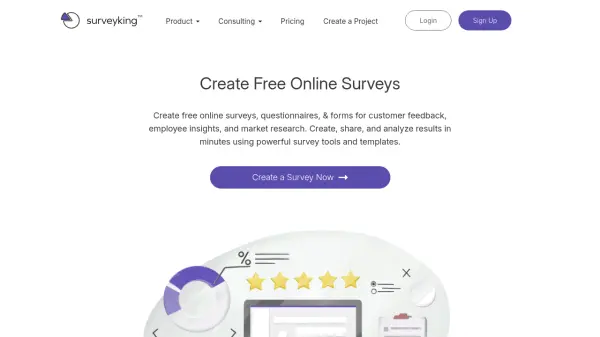
SurveyKing provides a comprehensive platform for creating professional online surveys, questionnaires, and forms. It offers over 15 question types including advanced options like MaxDiff, Conjoint, Van Westendorp, and Gabor Granger for market research. Users can collect customer feedback, measure employee engagement, and conduct market research with ease. The tool features a drag-and-drop builder, inline question editing, skip logic, and piping for complex survey creation. SurveyKing also includes robust reporting tools such as custom reports, advanced filters, cross-tabulation analysis, and easy report sharing. It supports anonymous surveys with a verification seal and integrates with external platforms like Mailchimp for email distribution. With a free forever plan and affordable pro version, SurveyKing is suitable for individuals, businesses, and organizations of all sizes.
Features
- Over 15 Question Types: Includes multiple choice, ranking, open-ended, MaxDiff, Conjoint, Van Westendorp, Gabor Granger, and more.
- Advanced Market Research Tools: Built-in MaxDiff, Conjoint, Van Westendorp, and Gabor Granger for pricing and feature optimization.
- Drag-and-Drop Survey Builder: Easy-to-use interface with inline question editing and live preview.
- Skip Logic and Piping: Conditional branching and answer piping for complex surveys.
- Anonymous Surveys: Includes a verification seal to reassure respondents of their anonymity.
- Comprehensive Reporting: Custom reports, advanced filters, cross-tabulation analysis, and one-click report sharing.
- Team Collaboration: Create teams and delegate survey access to unlimited members.
- Email Distributions: Send survey invitations via email with tracking, or use external platforms like Mailchimp.
Use Cases
- Customer feedback and Net Promoter Score (NPS) tracking
- Employee satisfaction and engagement surveys
- Market research for product pricing and feature valuation
- Training feedback and instructor evaluation
- Union and labor relation surveys
- Demographic data collection for marketing strategy
- Academic research and student feedback
- Exit interviews and human resources surveys
FAQs
-
Is there a free plan available?
Yes, SurveyKing offers a free forever plan with up to 20 responses per survey, 2 surveys, 5 questions, and limited advanced question types. -
Can I cancel my Pro subscription anytime?
Yes, you can cancel anytime and your account will remain upgraded through the end of the current month. -
Is there a limit on team members?
No, you can create as many teams as you like with unlimited members. However, each user needs their own Pro license to create unlimited surveys. -
Can I send email invitations from SurveyKing?
Yes, the Pro plan includes 500 email invitations per month sent from SurveyKing. You can also use external platforms like Mailchimp for unlimited sends. -
Does SurveyKing support anonymous surveys?
Yes, SurveyKing offers anonymous surveys with a verification seal to reassure respondents that their identities are protected.