What is Superpipe?
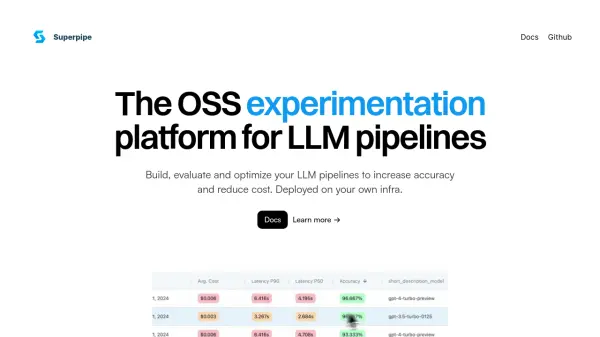
Superpipe provides an open-source environment specifically created for the development and refinement of Large Language Model (LLM) pipelines. It enables users to construct, assess, and enhance their pipelines, focusing on boosting accuracy while simultaneously reducing operational expenses. A key feature is the ability to deploy the entire system within the user's own infrastructure, ensuring complete data privacy and security.
The platform facilitates experimentation with various pipeline components. Using the Superpipe SDK, developers can build multi-step processes and systematically test different parameters such as LLM models, prompt variations, and the number of results retrieved through Retrieval-Augmented Generation (RAG). Superpipe Studio complements the SDK by offering tools for dataset management, experiment comparison based on cost, speed, and accuracy metrics, and detailed observability into pipeline performance and logs.
Features
- OSS Experimentation Platform: Build, evaluate, and optimize LLM pipelines.
- Superpipe SDK: Construct multi-step pipelines and experiment with parameters (models, prompts, RAG results) via Python.
- Superpipe Studio: Manage datasets, compare experiments (cost, speed, accuracy), and observe pipeline performance and logs.
- Self-Hosted Deployment: Deploy within your own cloud environment for privacy and security.
- Ground-Truth Labeling Tools: Facilitates building golden datasets.
- Parameter Grid Search: Systematically test combinations of models, prompts, and other parameters.
- Compatibility: Works alongside popular libraries like Langchain and Llama Index.
Use Cases
- Optimizing LLM pipeline performance for accuracy.
- Reducing the cost associated with running LLM pipelines.
- Experimenting with different LLM models and prompts.
- Evaluating Retrieval-Augmented Generation (RAG) effectiveness.
- Managing and labeling datasets for LLM evaluation.
- Monitoring and debugging complex LLM workflows.
- Developing LLM applications with a focus on performance and cost-efficiency.
FAQs
-
Who built Superpipe?
Superpipe was developed by Village Computing Company (formerly Stelo Labs) as an internal project. -
Can I deploy Superpipe in my own environment?
Yes, the Superpipe SDK is completely open-source and Superpipe Studio can be deployed inside your cloud for complete privacy and security. -
Is there a hosted version of Superpipe Studio?
No. It's designed for self-hosting. -
What is the benefit of Superpipe?
Superpipe is an experimentation platform for your LLM pipelines so that you can reduce cost and increase accuracy. -
Does Superpipe replace Langchain or Llama Index?
No, Superpipe works alongside popular libraries like Langchain and Llama Index.