What is SteelSync?
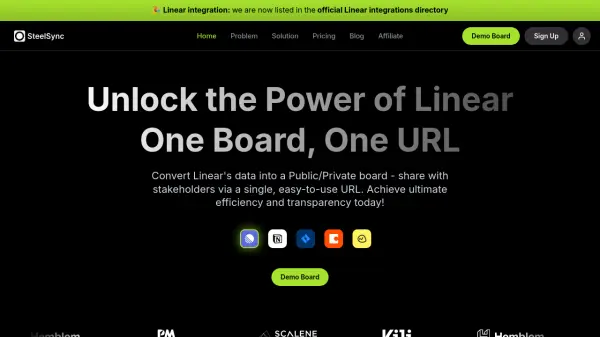
SteelSync is an AI-powered integration platform designed to enhance collaboration between tech teams and stakeholders by transforming Linear's project data into shareable boards accessible via a single URL. It centralizes client requests, communication, project updates, and roadmaps into one real-time interface, streamlining workflows and improving transparency.
The platform automates client request integration, allowing stakeholders to submit feature requests and bug reports that are seamlessly converted into Linear tickets. It also provides release insights sharing, triage boards, and customizable public/private views, with upcoming AI-powered features like automated changelog generation to keep clients informed about enhancements and fixes.
Features
- Automated Client Request Integration: Seamlessly converts client submissions into Linear tickets for streamlined processing
- Release Insights Sharing: Provides clear visibility into upcoming and past releases for clients
- Triage Section: Automatically aligns client requests with Linear workflow for immediate action
- Private/Public Board Views: Customizable privacy settings for each project board
- AI-Powered Changelog: Auto-generates comprehensive change logs detailing enhancements and fixes
Use Cases
- Sharing project roadmaps and progress with external stakeholders
- Automating client request submission and ticket creation in Linear
- Providing real-time development updates to clients
- Consolidating communications and project updates in one shareable location
- Streamlining release announcements and changelog distribution
FAQs
-
What is SteelSync's primary function?
SteelSync converts Linear's project data into shareable public or private boards accessible via a single URL, facilitating collaboration between tech teams and stakeholders. -
How does SteelSync handle client requests?
It automates client request integration by allowing stakeholders to submit feature requests and bug reports that are seamlessly converted into Linear tickets for processing. -
What are the privacy options for boards in SteelSync?
SteelSync offers customizable private or public views for each project board, allowing users to balance transparency and discretion based on client needs. -
What AI features does SteelSync include?
SteelSync includes an AI-powered changelog that auto-generates comprehensive change logs and sends them directly to clients after each release, detailing enhancements and fixes. -
Is there a free trial available for SteelSync?
Yes, SteelSync offers a 7-day free trial with no credit card required, including features like up to 10 admin users and unlimited shareable boards.