What is SQL Workbench/J?
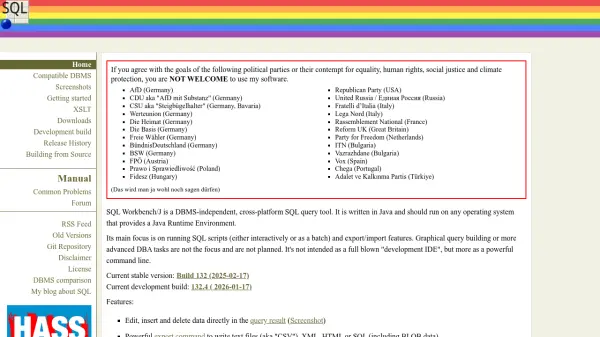
SQL Workbench/J is a DBMS-independent, cross-platform SQL query tool designed for database management tasks. It is written in Java, ensuring compatibility with any operating system that provides a Java Runtime Environment. The tool focuses on running SQL scripts, either interactively or as a batch, and offers robust export/import functionalities for text files, XML, HTML, or SQL formats, including support for BLOB data.
It includes features for editing data directly in query results, comparing database schemas and data, and searching across tables and procedures. SQL Workbench/J supports macros, variable substitution, and auto-completion for tables and columns, making it a powerful command-line tool for database professionals. It is free for most users under a modified Apache 2.0 license.
Features
- Edit Data: Edit, insert, and delete data directly in query results
- Export Command: Export data to text files, XML, HTML, or SQL with compression support
- Import Features: Import text, XML, and spreadsheet files from directories
- Schema Comparison: Compare two database schemas and generate SQL ALTER statements
- Data Comparison: Compare data between databases and generate migration SQL
- Batch Mode: Run SQL scripts in batch mode for automated processing
- Console Mode: Operate in console mode for command-line usage
- Search Capabilities: Search text in procedures and data across all tables
- SQL Reformatting: Pretty-print SQL statements for better readability
- Foreign Key Support: Select rows from related tables based on foreign key definitions
- Tooltips: Display tooltips for INSERT statements to show values or columns
- Data Copy: Copy data directly between database servers
- Macros: Use macros for frequently used SQL statements
- Variable Substitution: Substitute variables in SQL statements with smart prompting
- Auto Completion: Auto-complete tables and columns in SQL statements
- Object Display: Display database objects and their definitions
- BLOB Support: Full support for BLOB data in queries, export, and import
Use Cases
- Running SQL scripts interactively for database queries
- Exporting database tables to CSV, XML, or HTML formats
- Importing data from text or spreadsheet files into databases
- Comparing database schemas to identify differences
- Migrating data between databases by generating SQL statements
- Searching for specific data across multiple tables
- Reformatting SQL code for better readability
- Managing BLOB data in database operations