What is Smart’n?
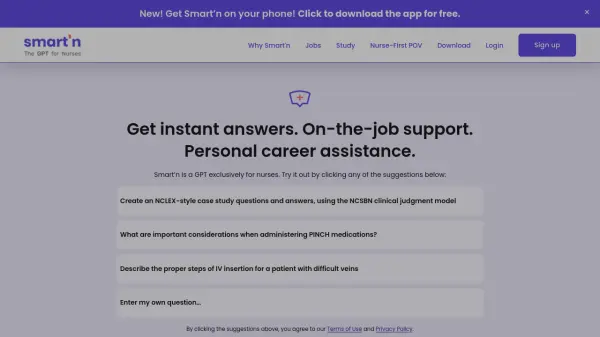
Smart’n leverages advanced GPT technology to deliver real-time support and career assistance tailored specifically for nurses. The platform provides instant answers to clinical questions, generates NCLEX-style study materials, and offers guidance for on-the-job situations, streamlining daily workflows for nursing professionals and students.
Focused on the unique needs of the nursing community, Smart’n enhances learning through dynamic case studies and step-by-step clinical procedures, helping users stay updated with best practices and improve patient care.
Features
- Real-Time Q&A: Instantly answers nursing-related queries and clinical questions.
- NCLEX-Style Practice: Generates case study questions and answers following the NCSBN clinical judgment model.
- Clinical Procedure Guidance: Offers step-by-step instructions for common and advanced nursing procedures.
- Career Support: Assists with job searching and personal career advice for nurses.
- Tailored for Nurses: Focuses content and support on the unique needs of the nursing profession.
Use Cases
- Preparing for the NCLEX exam with AI-generated case study questions.
- Receiving on-the-job clinical support for procedures and medication administration.
- Accessing instant answers to complex nursing scenarios during shifts.
- Obtaining career and job search assistance within the nursing field.
- Enhancing nursing knowledge and best practices through stepwise instruction.