What is SketchBubble AI Presentation Maker?
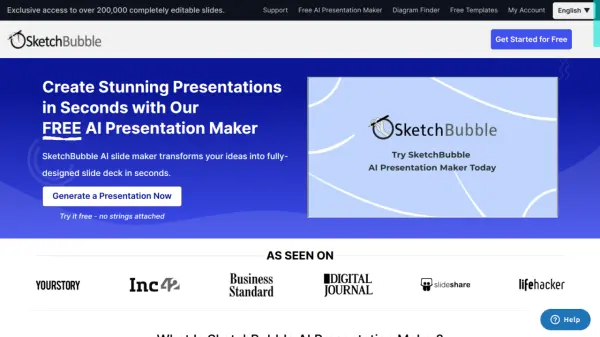
SketchBubble AI Presentation Maker is an innovative tool that transforms ideas into professionally designed presentations within seconds. The platform leverages artificial intelligence to generate comprehensive slide decks complete with logical structures, visually appealing layouts, and relevant visual elements including images, icons, and charts.
The tool streamlines the presentation creation process by automating design decisions and formatting tasks, while ensuring compatibility with popular platforms like Microsoft PowerPoint and Google Slides. It supports multiple languages and offers brand-aligned customization options, making it suitable for various professional contexts from corporate presentations to academic slideshows.
Features
- AI-Enhanced Designs: Smart layout generation with engaging visuals
- Instant Content Creation: Automated presentation generation from topics
- Template Repository: Access to diverse AI-powered templates
- Multi-platform Compatibility: Works with PowerPoint and Google Slides
- Multi-language Support: Generate presentations in various languages
- Brand Customization: Align presentations with brand identity
- Quick Export Options: Download in multiple formats including PDF, PNG
- Automated Structure: Logical organization of content and slides
Use Cases
- Creating corporate reports and presentations
- Designing project proposals
- Building pitch decks for startups
- Developing market research presentations
- Preparing academic presentations
- Creating training materials
- Designing executive leadership presentations
- Making professional business presentations
How It Works
Input Your Vision
Enter your presentation topic or idea — the more details you provide, the better your slides will be.
Pick Your Style
Review the presentation outline and Select from a wide range of AI-curated designs/themes.
Present Excellently
Download the presentation with a single click and present using MS PowerPoint and Google Slides.
FAQs
-
What does an AI-generated presentation mean?
An AI-generated presentation is a slideshow created using Artificial Intelligence (AI) based on your preferences and choices (audience, topic, and style). The AI chooses the best templates, colors, layouts, fonts, and alignments for creating visually appealing slides. -
Do I need to download or install your AI presentation generator?
No. You don't need to download or install this AI presentation maker. It's all online -
Is the presentation generated by the AI customizable?
Definitely. You can easily change the color, theme, content, and other aspects of the AI-generated presentation with a few clicks. -
What specific languages does SketchBubble's AI Slide Maker support?
It's multilingual and supports various languages, including English, Chinese, French, Portuguese, German, Hindi, Swedish, etc. This feature helps you increase the global reach of your presentation.