What is Sitely?
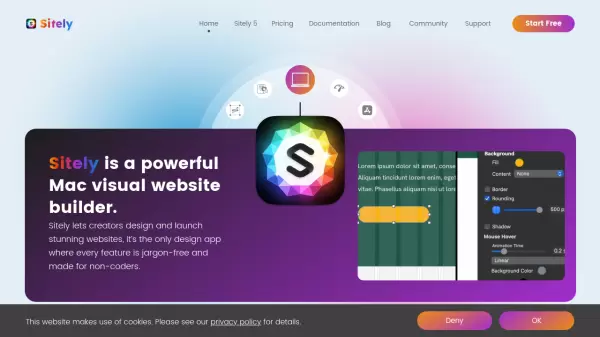
Sitely is an innovative Mac-native website builder designed specifically for creators who want to build professional websites without coding knowledge. The platform combines powerful features with an intuitive interface, allowing users to design and launch stunning websites while maintaining complete creative control over layouts, colors, fonts, and animations.
Built exclusively for macOS, Sitely harnesses native performance capabilities to deliver a smooth, high-performance design experience. The platform stands out with its built-in SEO and speed optimization tools, security features, and static site generation, ensuring websites are not only beautiful but also fast, secure, and search-engine friendly.
Features
- Native Mac Integration: Optimized for Apple Silicon with Dark Mode support
- Drag-and-Drop Interface: Intuitive website building without coding
- Built-in SEO Tools: Integrated optimization assistant for better search rankings
- Design Freedom: Complete control over layouts, colors, fonts, and animations
- Asset Library: 1600+ fonts and professionally designed icons included
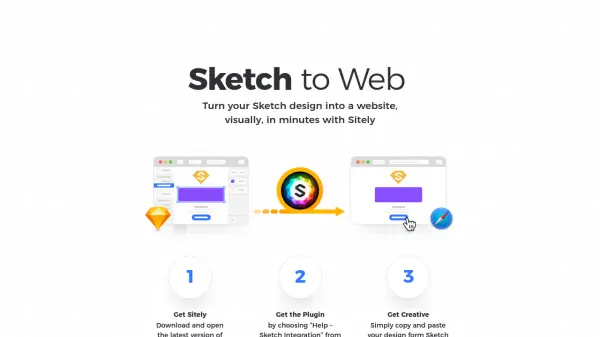
- Design Tool Integration: Plugins for Sketch and Figma
- Offline Capability: Work on websites with or without internet connection
- Security Features: Creates unhackable static sites by default
Use Cases
- Creating professional business websites
- Building personal portfolios
- Designing client websites
- Developing landing pages
- Creating static websites
- Converting design mockups to websites
FAQs
-
Is Sitely compatible with both Intel and Apple Silicon Macs?
Yes, Sitely is optimized for both Intel and Apple Silicon Macs, offering full native support. -
Can I import designs from other design tools?
Yes, Sitely offers plugins for both Sketch and Figma, allowing you to import designs directly from these applications. -
Does Sitely require an internet connection to work?
No, you can work on your websites both online and offline, providing flexibility in where and when you can design.