

What is Simmer?
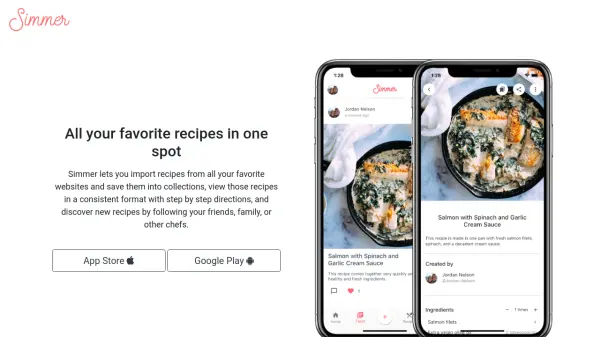
Simmer is a user-friendly recipe management app designed to streamline the cooking experience. It allows users to import recipes from various websites, save them in personal collections, and view them all in a clear, consistent layout with step-by-step instructions. Users can also create custom recipes from scratch or bookmark discoveries found within the app.
The platform offers a social element by enabling users to follow friends, family, and chefs, making culinary inspiration more accessible through a news feed of shared recipes. Simmer's intuitive design focuses on making every cooking session simpler with organized ingredients lists and easy-to-follow directions, all in one accessible app for mobile devices.
Features
- Recipe Import: Import recipes from various websites for easy access
- Step-by-Step Directions: View clear, consistent instructions for every recipe
- Social Discovery: Follow friends, family, and chefs to discover new recipes
- Custom Collections: Organize favorite recipes into collections for quick searching
- Create New Recipes: Add original recipes from scratch and bookmark in the app
- Cross-Platform Access: Available on both iOS and Android devices
Use Cases
- Organizing personal and family recipes in digital collections
- Discovering new dishes shared by culinary professionals and home cooks
- Saving recipes from popular websites for easy future reference
- Creating a personal digital cookbook from scratch
- Sharing recipes and cooking ideas with friends and relatives