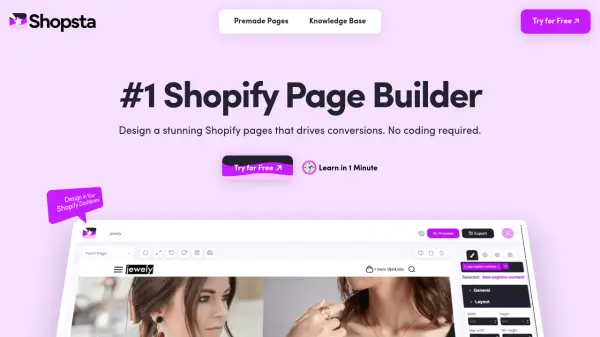
What is Shopsta?
Shopsta empowers merchants to design visually stunning and conversion-optimized Shopify pages using a drag-and-drop builder, all without the need for coding. Integrating directly within the Shopify dashboard, Shopsta prioritizes high performance, utilizing vanilla JavaScript and loading only essential minified CSS for each page to enhance speed and stability.
This tool offers a suite of advanced features such as carousels, predictive search, responsive sliders, product image zoom, and customizable product tabs to enhance the user experience and drive conversions. Built with minimal design, mobile-first layouts, SEO optimization, and accessibility in mind, Shopsta helps users quickly create pages that excel in both appearance and functionality while remaining user-friendly for store managers of any skill level.
Features
- Drag & Drop Builder: Create and edit Shopify pages visually without coding.
- Premade Pages: Access a library of ready-to-use templates for rapid deployment.
- Carousels: Implement multiple carousels to enhance conversion rates.
- Predictive Search: Autosuggest search options accelerate product discovery.
- Responsive Sliders: Lightweight image sliders optimized for any device.
- Product Image Zoom: Integrated zoom functionality for detailed product views.
- Product Tabs: Unlimited tabs for organizing product information.
- Minimal Design: Interfaces designed for fast decision making and better conversions.
- SEO Optimization: Tools built-in to drive organic search traffic.
- Mobile-First Layouts: Optimized for the majority of users shopping on mobile devices.
- Accessibility Enhancements: Supports inclusive design for broader reach.
- Superior Performance: Vanilla JavaScript and minified CSS ensure fast page loads.
Use Cases
- Creating visually appealing Shopify store pages without coding knowledge.
- Boosting product page conversion rates using advanced UI elements.
- Adding predictive search to enhance visitors’ product discovery.
- Implementing responsive sliders and carousels for seasonal promotions.
- Designing accessible and SEO-optimized store pages for broader audiences.
- Rapidly deploying niche-specific landing pages using premade templates.