What is SendWo?
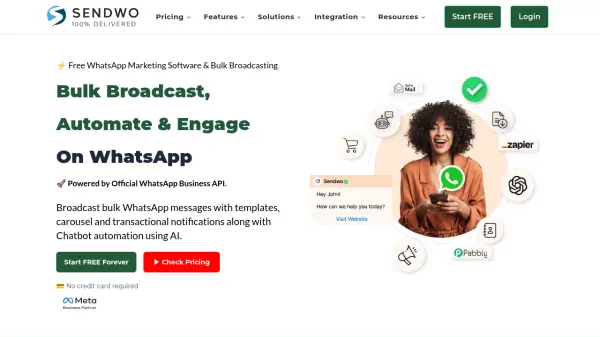
SendWo is an official Meta business solution provider offering a comprehensive WhatsApp marketing platform. It leverages the official WhatsApp Business API to enable businesses to send bulk broadcast messages, create automated AI-powered chatbots, and manage customer interactions efficiently.
The platform facilitates seamless communication and helps businesses improve sales and customer support. SendWo helps to Connect your WhatsApp API number and also provides features such as shared team inboxes, payment collection, and integration with popular e-commerce platforms and CRM tools.
Features
- WhatsApp AI Chatbot: Automate customer support and interactions with AI-powered chatbots.
- Bulk Broadcasting: Send bulk messages to contacts with various media types.
- Shared Team Inbox: Manage sales and customer support with a multi-agent inbox.
- Click To WhatsApp Ads: Generate leads by directing users to WhatsApp inbox.
- Payment Collection: Enable 'Add to Cart' and 'Pay on WhatsApp' options.
- Third-Party Integrations: Connect with platforms like Shopify, WooCommerce, Zapier, and more.
- WhatsApp Flows: Create forms within WhatsApp for lead generation.
- Sequence Messaging: Engage customers with automated drip message sequences.
- Input Flows : Ask questions from your customer and accept answers in predefined formats.
- No Markup Fees: Pay directly to Meta with 0% markup on WhatsApp Business API pricing.
Use Cases
- Sending promotional offers and updates to customers.
- Providing automated customer support through AI chatbots.
- Managing customer inquiries and sales through a shared team inbox.
- Running targeted advertising campaigns that lead to WhatsApp conversations.
- Collecting payments directly within WhatsApp.
- Integrating WhatsApp communication with existing e-commerce platforms.
- Generating leads using WhatsApp forms.
- Nurturing customer relationships with automated message sequences.
FAQs
-
Is SendWo Free WhatsApp Marketing Software? Is their any hidden fee involved?
SendWo offers a free plan. You pay for the official WhatsApp API pricing directly to Meta, and SendWo has no commission on top of that pricing. -
Will my WhatsApp number get banned?
No, your number will not get banned if you engage properly. Meta will notify you if spamming levels increase, allowing you to adjust your campaigns. -
Can I use my existing WhatsApp number?
Yes, but you need to delete it from your WhatsApp mobile app before integrating it with the API. -
Are you a Business Solutions Provider (BSP)?
Yes, SendWo is a Delaware-based incorporation and an official business solution provider, utilizing official WhatsApp Cloud APIs. -
Is Facebook Business Manager verification required?
Business verification is needed for advanced features like WhatsApp flows, a verified blue tick, and billing on your business name.