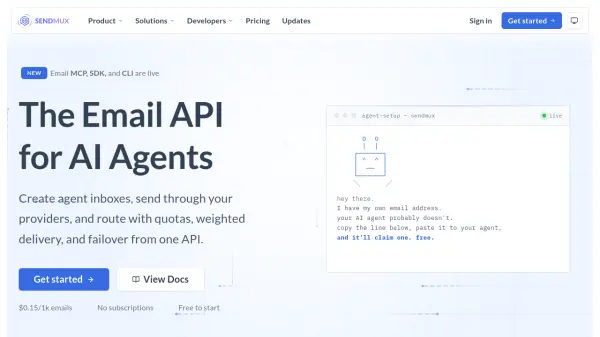
What is Sendmux?
Sendmux provides a comprehensive email API infrastructure built specifically for AI agents and autonomous systems. The platform addresses the complexity of managing email communication for AI applications by consolidating sending, receiving, routing, and event handling into a single unified API surface. Unlike traditional email services that require stitching together multiple providers for inbound and outbound functionality, Sendmux delivers a complete stack that handles agent mailboxes, multi-provider routing with automatic failover, and real-time delivery events through a streamlined interface.
The platform transforms how AI agents interact with email by converting raw HTML messages into clean, structured JSON format. This approach strips signatures, quoted history, and formatting noise by default, reducing token consumption by up to 96% compared to processing raw MIME content. Sendmux supports bringing your own SMTP providers including Gmail, SendGrid, Mailgun, and Resend, with intelligent routing controls featuring weighted distribution, quota management at multiple time windows, and automatic health monitoring. The service operates on a transparent usage-based pricing model with no per-seat or per-mailbox fees, making it scalable for both individual developers and platform builders managing thousands of agent inboxes across multiple tenants.
Features
- Agent Mailboxes: Create dedicated inboxes on custom domains or shared @myagent.mx with clean JSON email parsing
- Token Optimization: Strips signatures, quotes, and HTML formatting to reduce LLM token usage by up to 96%
- Multi-Provider Routing: Weighted distribution with automatic failover across Gmail, SendGrid, Mailgun, Resend, and SMTP providers
- Quota Management: Four-level quotas (per-second, minute, hour, day) with automatic throttling
- Real-Time Events: Signed webhooks, SSE streams, and typed change polling for delivery and receipt notifications
- Unified Inbox Dashboard: Keyboard-driven interface to manage all agent inboxes from one view with search and bulk actions
- Multi-Tenancy Support: Team isolation with inbox-scoped API keys for platform builders
- HTTP and SMTP Access: Send via REST API or SMTP on port 587 with idempotency support
Use Cases
- AI agent email communication with customers and support teams
- Automated customer service responses through AI-powered inboxes
- Multi-tenant SaaS platforms managing email for customer AI agents
- Transactional email routing with automatic provider failover
- Agent-to-agent communication in autonomous systems
- Email parsing and processing for LLM-based applications
- Platform builders scaling email infrastructure for thousands of agents
- Automated workflow systems requiring reliable email delivery
How It Works
Connect your providers
Add any email provider over SMTP or OAuth, including Gmail, SendGrid, Mailgun, or Resend. Alternatively, skip this step and use the built-in managed Amazon SES account.
Create agent mailboxes
Set up dedicated inboxes on the shared @myagent.mx domain or your custom verified domain. Each agent gets its own isolated mailbox.
Send and receive via API
Use the HTTP API or SMTP on port 587 to send and receive emails. Routing, failover, and quota management are handled automatically by the platform.
FAQs
-
What is Sendmux?
Sendmux is an email API platform built specifically for AI agents. It provides a unified API for sending, receiving, routing, and managing email communications with features like agent mailboxes, multi-provider routing with automatic failover, and clean JSON email parsing that reduces token consumption. -
Can I use my own SMTP or email provider?
Yes, Sendmux supports bringing your own email providers including Gmail, SendGrid, Mailgun, Resend, or any SMTP-compatible service. You can connect multiple providers and use weighted routing, quotas, and automatic failover to manage delivery across all your accounts. -
How does Sendmux help with email parsing?
Sendmux converts raw HTML emails into clean, structured JSON format with signatures, quoted history, and formatting noise stripped by default. This reduces LLM token consumption by up to 96% compared to processing raw MIME content, saving compute costs and improving agent response efficiency. -
How does Sendmux pricing work?
Sendmux uses usage-based pricing at $0.15 per 1,000 emails for standard sending (through your providers) and receiving, $0.25 per 1,000 for managed Amazon SES sends, and $0.02 per GB per month for mailbox storage. There are no per-seat fees, per-mailbox fees, or minimum commitments. -
Does Sendmux have an MCP server or SDKs?
Yes, Sendmux provides MCP servers, SDKs, and CLI tools for developers. The platform offers complete documentation and integration options for various development environments and agent frameworks.