What is SecureTitan?
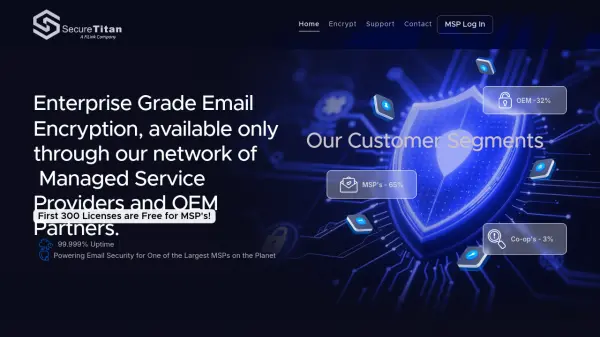
SecureTitan is a robust, enterprise-grade email encryption solution designed to protect sensitive communications and ensure compliance with regulations such as HIPAA, GDPR, and more. Available exclusively through Managed Service Providers (MSPs) and OEM partners, this platform leverages intelligent encryption gateways and data loss prevention policies to automatically secure emails based on recipient capabilities and organizational compliance needs.
Featuring seamless integration with Microsoft 365, Google Workspace, and other major email platforms, SecureTitan provides real-time message tracking, instant message recall, custom branding, and granular audit logs. The platform offers state-of-the-art security practices—enforced TLS protocols, policy-based encryption, and compliance-friendly data residency—making it an ideal solution for organizations that require end-to-end data protection and regulatory audit readiness.
Features
- Intelligent Encryption Gateway: Automatically selects the most compatible secure delivery method for each recipient.
- Seamless Third-Party Integration: Compatible with Microsoft 365, Google Workspace, and most major email platforms.
- Custom Branding: Fully customizable portals and notifications to reflect end-user or partner branding.
- Instant Message Recall: Revoke access to messages post-delivery for enhanced control and data protection.
- Detailed Audit Logs: Real-time, time-stamped logging of message delivery, opening, replies, and downloads.
- Policy-Based DLP Encryption: Enforces organizational policies for data loss prevention and regulatory compliance.
- Outlook Add-In: One-click email encryption directly from Microsoft Outlook.
- Compliance-Driven Storage: Supports HIPAA, GDPR, CCPA, FERPA, and more with compliance-friendly data residency.
Use Cases
- Healthcare organizations needing HIPAA-compliant encrypted communications.
- Financial institutions requiring email security for regulatory compliance.
- Educational institutions managing FERPA-protected data transmission.
- Managed Service Providers offering branded, white-labeled secure email solutions.
- Enterprises seeking to minimize risk of data leakage and unauthorized access.
- Organizations needing real-time auditing and tracking of sensitive email messages.
- OEM partners integrating advanced email encryption into their service portfolios.
FAQs
-
Is there a limit to the number of encrypted emails that can be sent?
There is no limit to the number of encrypted messages a user can send, but high-volume automated messaging may require integration options and usage guidelines. -
Can encrypted emails be delivered without the recipient logging into a secure portal?
Yes, SecureTitan uses TLS-Verify to deliver messages securely over a TLS connection when available; if not, a secure portal or PDF is used. -
How long are encrypted messages retained on the secure portal?
Encrypted messages are retained for up to 365 days, with customizable retention policies for each message. -
Can a sent encrypted email be recalled?
Yes, emails delivered via the secure portal can be recalled, revoking access even after the message has been opened. -
Is there audit logging for each encrypted message?
Yes, real-time audit logs capture message events such as read, reply, delete, download, and print for each encrypted message.