
What is Screenshots.pro?
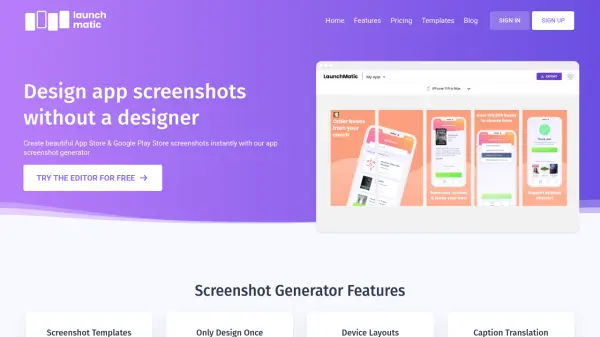
Screenshots.pro provides a comprehensive solution for generating high-quality app screenshots optimized for App Store and Google Play Store requirements. The platform offers an innovative drag-and-drop editor that simplifies the design process, allowing users to create panoramic screenshots without needing an account. With support for the latest Apple and Android devices, including iPhone 16 Pro Max, iPad M4, and Google Pixel 8, users can frame their screenshots using clay or real device frames in various colors and orientations.
The tool includes powerful features such as multi-device export, automatic resizing for different store requirements, and localization support for translating screenshots into multiple languages. An API enables automation for CI/CD pipelines, while cloud storage ensures work is autosaved and synced. Pre-made templates help users get started quickly, and fully customizable options allow for detailed adjustments to achieve the desired visual presentation.
Features
- Device Framing: Insert screenshots into clay and real device frames with various colors and 3D angles
- Localization Support: Automatically translate screenshots to different languages for international distribution
- Multi-Device Export: Design once and export screenshots in all required sizes for App Store and Google Play
- API Access: Integrate with CI/CD pipelines to automate screenshot generation and updates
- Template Library: Use pre-made screenshot mockup sets for quick customization and inspiration
Use Cases
- Creating App Store screenshots for iOS app releases
- Generating Google Play Store screenshots for Android applications
- Localizing app screenshots for international market expansion
- Automating screenshot updates through CI/CD pipelines
- Designing promotional materials for app marketing campaigns
FAQs
-
Will my screenshots be accepted by App Store and Google Play Store?
Yes, the tool generates screenshots in the required sizes and formats for both App Store and Google Play Store submissions. -
Do you support landscape screenshots?
Yes, the tool has built-in support for both portrait and landscape screenshot orientations. -
Is it free?
There is a free Basic plan available forever, with paid plans starting at $19/month for additional features. -
How can I cancel my subscription?
You can cancel online anytime, and continue using the service until your paid period ends. -
Do you provide custom screenshot design services?
The tool focuses on self-service design through its editor and templates, with no mention of custom design services.