What is Sayscroll?
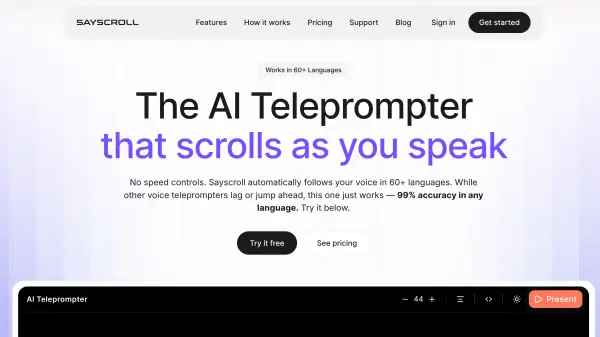
Sayscroll is an AI-powered teleprompter solution that eliminates the traditional challenges of fixed-speed script scrolling. The platform uses real-time speech recognition technology to track spoken words and automatically adjust the script position to keep the active text centered on screen. Unlike conventional teleprompters that require constant manual speed adjustment, Sayscroll listens to the speaker's voice and highlights each word as it is spoken, ensuring the script remains perfectly synchronized with natural speech patterns. The system intelligently handles improvisation by pausing when speakers go off script and seamlessly resuming tracking when they return to the written text, even if they jump to different sections.
The platform operates entirely within web browsers without requiring software installation, making it accessible across devices including desktops, tablets, and smartphones. Sayscroll supports more than 60 languages with 99% tracking accuracy and can handle multilingual scripts that mix different languages within the same document. The teleprompter includes professional features such as adjustable text size, column width customization, paragraph alignment options, fullscreen presentation mode, and horizontal and vertical mirroring for compatibility with beam-splitter teleprompter screens. Usage is calculated based on active microphone time, with the system automatically pausing after 15 seconds of silence to prevent unnecessary consumption of monthly speech hours.
Features
- Voice Tracking: Real-time speech recognition that lights up every word as spoken and keeps text centered on screen
- Off-Script Freedom: Automatically pauses when improvising and locks back on when returning to the script
- 60+ Language Support: Works with multilingual scripts including mixed languages in the same document
- 99% Tracking Accuracy: Precise word-by-word matching across all supported languages
- Studio-Ready Controls: Adjustable text size, column width, fullscreen mode, and horizontal/vertical mirroring
- Browser-Based Platform: No installation required, works directly in web browsers across all devices
- Smart Usage Counting: Only active microphone time counts, with automatic pause after 15 seconds of silence
- Section Jumping: Recognizes location even when speakers jump between different script sections
Use Cases
- Recording YouTube videos with natural speech flow and minimal retakes
- Delivering keynote presentations and public speeches with professional script tracking
- Creating educational course content and tutorial videos
- Recording podcasts with script guidance and improvisation flexibility
- Hosting webinars and Zoom meetings with script support
- Producing multilingual video content for international audiences
- Conducting live church services and streaming events
- Creating marketing videos and product demonstrations
How It Works
Paste your script
Drop in a speech, a video script, or rough notes in any of 60+ languages, even mixed in the same paragraph
Hit present
Words light up as you say them and the text scrolls to keep your place centered on screen
Go off script anytime
Improvise freely. The prompter waits for you and locks back on the moment you return to the text
FAQs
-
What is Sayscroll?
Sayscroll is a browser-based AI teleprompter that follows your voice automatically. Unlike traditional teleprompters that run on a fixed scroll speed you have to adjust, Sayscroll uses real-time speech recognition to track your words as you say them and keep your place centered on screen. If you improvise or go off script, it waits, then locks back on the moment you return. It supports 60+ languages, including scripts that mix languages, with 99% tracking accuracy. -
How does the teleprompter follow my voice?
Your microphone audio is transcribed in real time and matched word-by-word against your script. Spoken words light up and the text scrolls so the active word stays in the middle of the screen. -
What happens if I go off script?
Nothing - that's the point. The prompter pauses while you improvise and automatically locks back on when you return to your text, even if you re-read an earlier sentence or skip ahead to a later section. -
How is usage counted?
Only the time the microphone is actively listening counts against your monthly hours. The mic pauses automatically after 15 seconds of silence and stops when you reach the end of your script or exit presentation mode. -
Can I add Sayscroll to my phone or tablet like an app?
Yes. Sayscroll runs in your browser, but you can add it to your iPhone or Android home screen for a one-tap, full-screen experience - no App Store or Play Store download needed.