What is Saber Feedback?
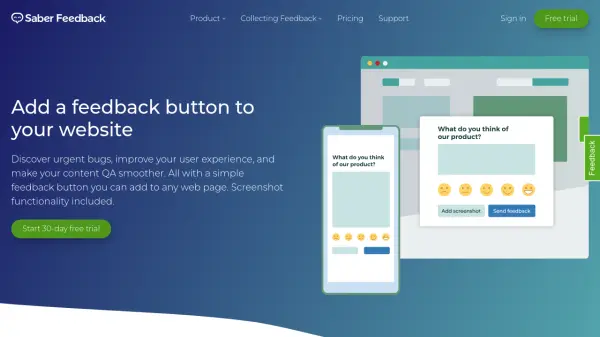
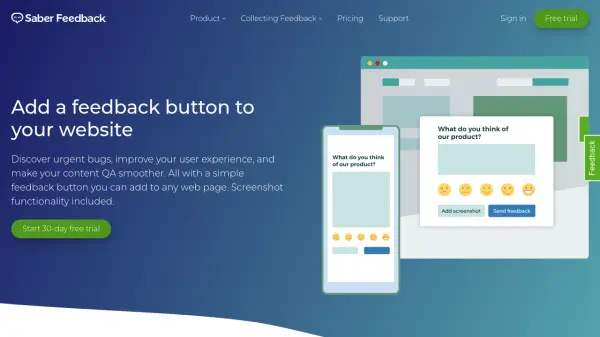
Saber Feedback is a visual feedback collection tool designed to streamline the process of gathering user insights directly from websites. The platform enables users to add customizable feedback buttons to any web page, allowing visitors to provide feedback without leaving the site. The tool automatically captures screenshots along with technical details such as operating system, browser information, and JavaScript errors, providing comprehensive context for each feedback submission.
The system supports various feedback types including bug reports, user experience issues, customer satisfaction ratings, and feature requests. Saber Feedback integrates with third-party tools and offers customizable forms with logic-based follow-up questions to gather targeted information. The platform works across websites, internal testing sites, online courses, web applications, and web portals, making it versatile for different digital environments.
Features
- Customizable Feedback Forms: Create tailored feedback forms with logic-based follow-up questions
- Automatic Screenshot Capture: Users can provide visual feedback with screenshots of specific page elements
- Technical Data Collection: Automatically gathers operating system, browser details, and JavaScript error information
- Third-Party Integrations: Connects with various external tools and platforms
- Multi-Language Support: Available in multiple languages including French, Spanish, German, and others
Use Cases
- Identifying and reporting website bugs and technical issues
- Collecting user experience feedback to improve website design
- Gathering customer satisfaction ratings and Net Promoter Score data
- Receiving feature requests and product development suggestions
- Streamlining feedback collection for internal testing sites and web applications
FAQs
-
How does the free trial work?
All accounts start with a 30-day free trial of the Corporate Plan, allowing access to all features without requiring a credit card. After the trial ends, a paid subscription is needed to continue using Saber Feedback. -
Is there a minimum contract length?
Saber Feedback subscriptions operate on a rolling one-month basis, allowing cancellation at any time without long-term commitments. -
Can I use Saber Feedback on multiple domains?
Yes, there are no domain name or subdomain restrictions, allowing deployment across multiple websites and domains. -
What payment methods are accepted?
Payments are accepted via major credit cards and PayPal, processed securely through FastSpring payment processor. -
Is there a money-back guarantee?
Yes, if unsatisfied, users can receive 100% of their most recent payment back through the satisfaction guarantee.