What is Feedback Button?
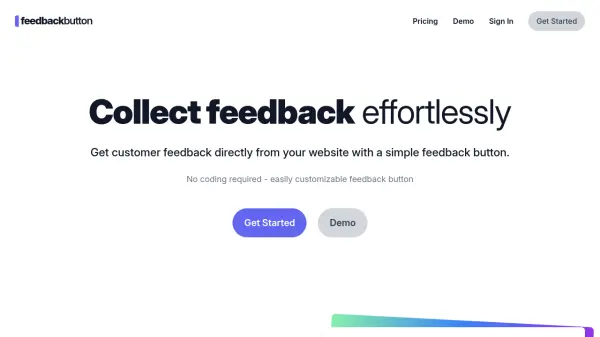
Feedback Button is a website feedback collection solution that enables businesses to gather customer insights directly from their websites. The tool features a customizable feedback button that can be adjusted to match brand aesthetics, including colors, positioning, and question styles. Installation requires only a single line of code added to the website's head section, making it accessible for users without technical expertise.
The platform captures detailed feedback responses containing useful troubleshooting information such as device type, browser details, and the URL where feedback originated. Users can manage multiple feedback projects through a simple dashboard, set email notification preferences, and apply device targeting or URL filtering to control where the feedback button appears. The service operates without placing cookies on visitor devices and supports unlimited websites across various pricing tiers.
Features
- Customizable Button: Adjust colors, position, questions, and emoji styles to match brand identity
- Informative Responses: Collect device type, browser information, and URL data with each feedback submission
- Email Notifications: Receive immediate alerts when customers submit feedback
- Easy Installation: Add to websites with a single line of code in the head section
- Device Targeting: Control which devices display the feedback button (desktop, tablet, or phone)
- URL Filtering: Restrict feedback button display to specific website pages
- No Cookies: Operates without placing cookies on visitor devices
- Unlimited Websites: Create multiple feedback projects for different websites
- Team Collaboration: Invite team members to access the dashboard
Use Cases
- Gathering app feedback from users
- Collecting customer testimonials
- Functioning as a contact form alternative
- Receiving suggestions for website improvements
- Reporting technical issues encountered by users
FAQs
-
How do I position the feedback button on my website?
The feedback button can be positioned on the right, bottom right, or bottom of the screen according to your preference. -
Can I delay when the feedback button appears on my website?
Yes, you can configure the feedback button to appear after a defined time delay or after users scroll to a certain percentage of the page. -
What types of websites can use Feedback Button?
Feedback Button works on any web platform including websites, web applications, blogs, e-commerce stores, and dashboards. -
How do I add Feedback Button to my Shopify store?
Installation takes less than 2 minutes by pasting the installation script into your Shopify theme's theme.liquid file before the closing head tag. -
How do I add Feedback Button to my WordPress site?
You can install the Feedback Button WordPress plugin available for WordPress sites.