What is Rplyr?
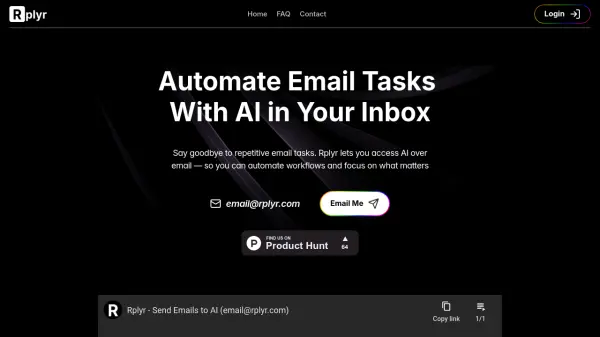
Rplyr introduces AI capabilities directly into your email environment, streamlining workflows by automating common email-related tasks. Users can forward email threads to have them summarized, replied to, or acted upon instantly. The tool also processes attachments such as PDFs, XLSX, or CSV files, allowing users to ask questions about their content and receive immediate answers via email. Additionally, users can send any general task or query directly through email for AI assistance.
For tackling specific, repetitive email workflows, Rplyr allows the creation of personalized AI agents. These agents can be configured with pre-defined prompts to handle tasks automatically. Once set up through the Rplyr portal, each agent gets a unique email address. Users can then simply email or forward content to this address to trigger the agent and receive the AI-generated output back in their inbox, requiring no additional software installations or platform integrations.
Features
- AI Email Integration: Access and utilize AI functionalities directly within your existing email client.
- Email Thread Processing: Automatically summarize, reply to, or act on forwarded email conversations.
- Attachment Analysis: Extract information and answer questions from PDF, XLSX, and CSV attachments sent via email.
- Direct Email Commands: Send tasks or questions directly to the AI via email.
- Custom AI Agents: Create personalized agents with pre-defined prompts for specific, repetitive email tasks.
- Platform Independent: Works with any email client (Gmail, Outlook, etc.) without installations or browser extensions.
Use Cases
- Summarizing long email threads quickly.
- Drafting follow-up emails based on previous conversations.
- Generating weekly updates from notes or emails.
- Organizing meeting notes sent via email.
- Converting bullet points in emails into polished text.
- Extracting data or insights from email attachments (PDFs, spreadsheets).
- Automating responses to frequently asked questions received via email.
FAQs
-
Can Rplyr read email attachments?
Yes, Rplyr currently supports XLSX, CSV, and PDF attachments. Support for more file formats is planned. -
Do I need to install anything to use Rplyr?
No, Rplyr works entirely over email and is compatible with any email client like Gmail, Outlook, Superhuman, or Apple Mail. No installations, extensions, or integrations are needed. -
What kind of tasks can Rplyr automate?
Rplyr can automate repetitive, text-based email tasks such as summarizing threads, writing follow-ups, drafting updates, organizing notes, and transforming bullet points into polished content. -
Is my email data secure with Rplyr?
Yes, the content of your emails is only used to generate the requested AI outputs and is not stored or shared. -
What should I do if I don't receive emails from my Rplyr agent?
Check your spam, promotions, or updates folders, especially if it's your first time using an agent. Marking the email as 'Not Spam' should ensure future responses arrive in your main inbox.