What is Room Arranger?
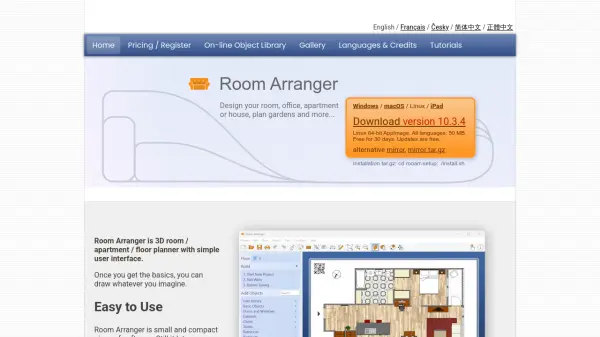
Room Arranger is a comprehensive 3D room, apartment, and floor planner software designed for creating detailed interior and exterior designs. It features an intuitive user interface that allows users to draw and visualize spaces with ease, including multiple floors in a single project. The software supports 3D visualization using the VRML standard, enabling users to fly through or walk around scenes realistically, and it can generate interactive 3D scenes for web integration or movies.
Key functionalities include AI room scanning with LiDAR cameras on compatible Apple devices to import real rooms as projects, a wide object library with nearly 300 customizable items, and tools for building on floor plan images, measuring dimensions, and printing in exact scales. It runs on iPad, macOS 13+, Linux, and Windows 10/11, with support for multiple languages and free updates during the trial period.
Features
- AI Room Scanning: Scan real rooms with LiDAR cameras on Apple devices to import walls, doors, and furniture as editable projects
- 3D Visualization: View designs in 3D with fly-through and walk-through modes using VRML standard for web integration
- Wide Object Library: Access nearly 300 customizable objects including furniture and equipment with adjustable dimensions
- Build on Floor Plan Image: Load and calibrate floor plan images to draw walls directly on top for easier design
- Measurement Tools: Measure spaces, room areas, and wall areas with options to export data to Excel for processing
- Print in Scale: Print projects in exact scales like 1:50 or 1:100, with support for multi-page printing on small printers
Use Cases
- Designing interior layouts for rooms, offices, apartments, or houses
- Planning garden architecture and outdoor spaces
- Creating floor plans for housing developments or real estate projects
- Visualizing 3D scenes for web design or interactive presentations
- Scanning and importing real rooms using AI for renovation or remodeling projects
FAQs
-
What devices are compatible with Room Arranger's AI room scanning feature?
AI room scanning is compatible with iPad Pro 12.9-inch (4th generation) and later, iPad Pro 11-inch (2nd generation) and later, iPhone 12 Pro and later, and iPhone 12 Pro Max and later, using LiDAR cameras. -
Can Room Arranger handle projects with multiple floors?
Yes, Room Arranger supports multiple floors in a single project, allowing for comprehensive building or apartment designs. -
What file formats does Room Arranger use for 3D visualization?
Room Arranger uses the VRML standard for 3D visualization, enabling interactive scenes that can be integrated into websites or used for movies. -
Is there a way to customize objects in Room Arranger's library?
Yes, nearly 300 objects in the library can be customized by modifying their dimensions to fit specific needs, and users can design their own objects as well. -
How does Room Arranger assist with printing floor plans?
Room Arranger allows printing in exact scales such as 1:50 or 1:100, and it can manage printing over multiple pages for small printers, with sheets to be glued together.