What is Ritt?
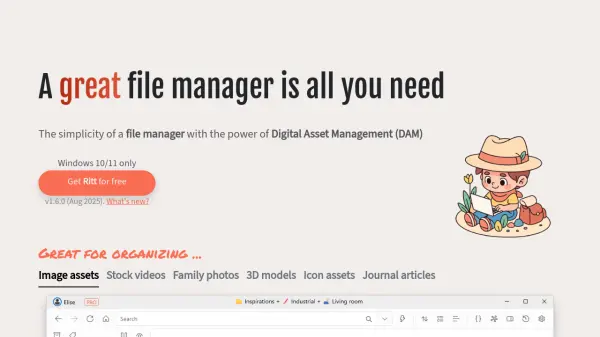
Ritt is a sophisticated file management application designed specifically for Windows 10 and 11 operating systems. It bridges the gap between conventional file explorers and comprehensive Digital Asset Management systems by offering intuitive organization tools alongside powerful retrieval capabilities. The application enables users to tag files and folders efficiently, with support for batch operations and inheritance of folder tags.
What sets Ritt apart is its integration of artificial intelligence for automatic tagging of image files, which operates locally on the user's machine without uploading data to external servers. The platform also includes advanced search features with logical operators, built-in previewers for various file types, scripting support for automation, and synchronization capabilities with popular cloud storage services through Ritt Cloud.
Features
- Auto Tag with AI: Automatically applies relevant tags to selected image files using local AI processing
- Batch Tagging: Tag multiple files simultaneously with a single click
- Tag Intersection: Combine and exclude tags to refine search results precisely
- Advanced Search: Supports logical operations (AND, OR, NOT) with file property filters
- Built-in Previewer: Displays images, videos, Markdown documents, PDFs, and 3D model files
- Scripting Support: Automate tasks using JavaScript or VBS syntax with localhost APIs
- Tag Inheritance: Files automatically inherit tags from their parent folders
- Cloud Synchronization: Sync tags with Ritt Cloud while files sync with services like OneDrive and Google Drive
Use Cases
- Organizing image assets for creative projects
- Managing stock video libraries
- Cataloging family photo collections
- Organizing 3D model files for design work
- Managing icon assets for development projects
- Organizing journal articles and research materials
- Tagging and retrieving digital assets across cloud storage services
- Automating file organization tasks through scripting
FAQs
-
What operating systems does Ritt support?
Ritt is currently available only for Windows 10 and Windows 11 operating systems. -
How does the AI tagging feature work?
The AI tagging automatically applies relevant tags to selected image files using local processing on your machine, ensuring your files never leave your device. -
Can I sync my tags across multiple devices?
Yes, you can sync your tags with Ritt Cloud while your files sync with your preferred file-hosting service like OneDrive, Google Drive, or Dropbox. -
What file types can the built-in previewer display?
The previewer supports images, videos, Markdown documents, PDFs, and 3D model files with out-of-the-box support for QuickLook. -
How does tag inheritance work in Ritt?
Files can automatically inherit tags from their parent folders, allowing you to tag folders instead of tagging individual files directly.