

What is Ribblr?
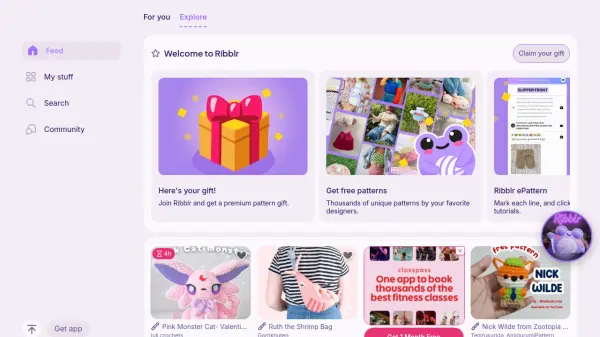
Ribblr is a comprehensive crafting platform designed to modernize and enhance the crafting experience for enthusiasts and designers alike. It provides an interactive digital environment where users can access Ribblr ePatterns, which function similarly to eBooks but are packed with unique features such as progress tracking, smart sizing, language translation, built-in videos, and charts. The platform aims to make crafting more accessible and enjoyable by offering tools that simplify pattern creation and usage.
For designers, Ribblr offers Ribbuild, a streamlined pattern editor that automates tasks like pattern translation, measuring units conversion, and smart sizing. Designers can sell their patterns in an interactive format while maintaining full ownership and control over fees through $elFee. The platform fosters a community where crafters can connect, share projects, and participate in events, all within an inclusive and positive environment that prioritizes safety and accessibility across devices.
Features
- Ribblr ePattern: Interactive digital patterns with progress tracking, smart sizing, and translation
- Ribbuild: Streamlined pattern editor for designers with automatic translation and sizing
- Community Features: Connect with crafters, follow designers, and share projects
- Accessibility Tools: Dark mode, reduce motion, left-hand mode, font zoom, and audio instructions
- Multi-Device Support: Responsive design with free iOS and Android apps
Use Cases
- Creating and following interactive crafting patterns
- Selling and buying digital patterns and yarn
- Connecting with a global community of crafters
- Designing patterns with automated tools for translation and sizing
- Tracking progress on crafting projects with smart features