Revoldiv favicon

Revoldiv
Spinning Words into Scripts

What is Revoldiv?

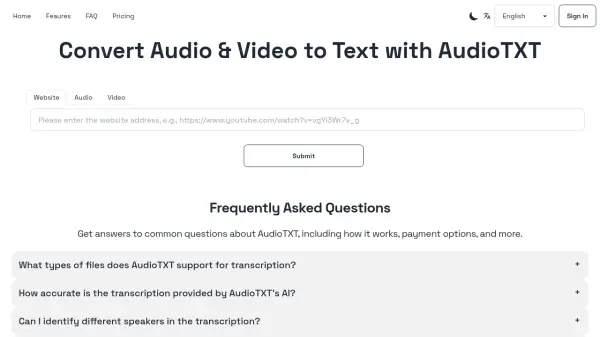
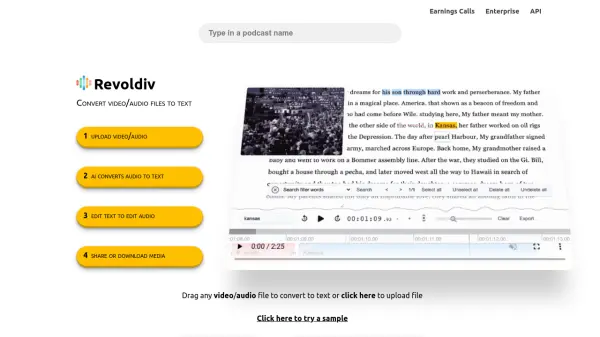
Revoldiv is an AI-powered tool that converts video and audio files into text. It is designed to provide accurate transcriptions in seconds.

The platform allows users to edit video and audio by editing the transcribed text. Additional functionalities include filler word removal, creating chapters, and generating audiograms. Users can share and export their projects in various formats. The system supports files up to two hours and the Chrome, Firefox web browsers.

Features

  • Transcription: Accurately transcribes video and audio files to text.
  • Filler Word Removal: Eliminates filler words like 'um,' 'like,' and 'uhh' with a single click.
  • Text-Based Editing: Edit video and audio by simply editing the transcribed text.
  • Audiogram Creation: Easily create audiograms from snippets of the audio.
  • Export Options: Export transcriptions and subtitles in various formats including .txt, .srt, and .vtt.
  • Sharing: Share projects or snippets.
  • Chapter Creation: Create chapters for easy navigation within the content.

Use Cases

  • Transcribing interviews
  • Creating subtitles for videos
  • Editing podcasts
  • Generating audiograms for social media
  • Removing filler words from presentations
  • Creating text versions of webinars
Related Tools:

Blogs:

  • Best ai tools for Twitter Growth

    Best ai tools for Twitter Growth

    The best AI tools for Twitter's growth are designed to enhance user engagement, increase followers, and optimize content strategy on the platform. These tools utilize artificial intelligence algorithms to analyze Twitter trends, identify relevant hashtags, suggest optimal posting times, and even curate personalized content.

  • Top 6 AI note-taking tools for 2026: in-person, online, and hybrid use cases

    Top 6 AI note-taking tools for 2026: in-person, online, and hybrid use cases

    Most AI note-taking lists are really lists of meeting bots, which join your video call and transcribe it. That's useful, but it's half the picture. Decisions happen in hallway conversations, client dinners, on-site visits, and hybrid rooms where nobody is on a video link. This guide covers different parts of the note-taking workflow: hardware capture for in-person settings, platform-native tools for online calls, and AI layers for organizing and synthesizing what you've captured. It compares six tools by capture context, workflow fit, pricing, and limitations.

  • Best AI tools for Product Photography

    Best AI tools for Product Photography

    Explore top AI tools that can elevate your product photography, helping you enhance images, streamline workflows, and create professional visuals with ease.

  • Ghibli Art Generator AI tools

    Ghibli Art Generator AI tools

    List of the best AI tools to turn your photos into images that look like Studio Ghibli movies. Easy to use and fun for everyone.

Didn't find tool you were looking for?

Be as detailed as possible for better results