What is Retrium?
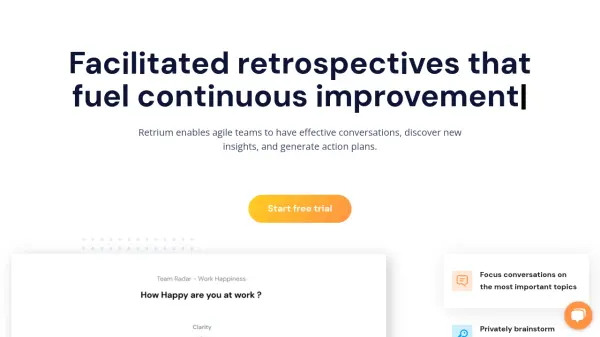
Retrium offers a specialized platform for facilitating agile team retrospectives. The tool streamlines the process of running retrospective meetings, enabling teams to organize feedback, group similar ideas, prioritize key topics, and turn insights into actionable plans. With a variety of industry-tested formats and customizable activities, teams can continuously improve by adapting their discussion techniques to fit unique needs.
Security and user experience are at the forefront of Retrium, offering private rooms, anonymous feedback, and retrospective documentation management in one central space. Teams benefit from features such as guided facilitation, real-time or asynchronous collaboration, and historical retrospectives review, making continuous improvement accessible regardless of team size or structure.
Features
- Guided Facilitation: Step-by-step process for engaging retrospectives
- Anonymous Feedback: Private brainstorming and comment sharing
- Thematic Grouping: Group similar ideas or feedback into discussion themes
- Voting Mechanism: Prioritize topics collaboratively
- Action Item Tracking: Generate and review action plans for improvement
- Retrospective Formats: Multiple industry-tested and customizable meeting templates
- Retrospective History: Access and review past meeting outcomes
- Integrations: Connect with tools like Jira Cloud
Use Cases
- Facilitating agile team retrospectives for continuous improvement
- Enhancing team engagement and feedback collection in remote or hybrid work settings
- Tracking and managing action items resulting from retrospective meetings
- Organizing discussions for large cross-functional teams
- Utilizing customizable templates to match unique team requirements
FAQs
-
How does the free trial work?
The free trial provides access to column-based and team radar techniques for 30 days, allowing teams to experiment with and run retrospectives using Retrium. -
Is there a limit to the number of users on a plan?
No, you can add an unlimited number of users to your account and the price remains the same. -
What is a Team Room in Retrium?
A Team Room is a dedicated space where teams can start retrospectives, view historical meeting data, and review action items. -
Can I cancel my subscription at any time?
Yes, subscriptions, including the Team Edition, can be cancelled at any time for any reason. -
Does Retrium offer on-premise deployment?
No, currently there is no on-premise version available, and all services are hosted by Retrium.