What is Repeet?
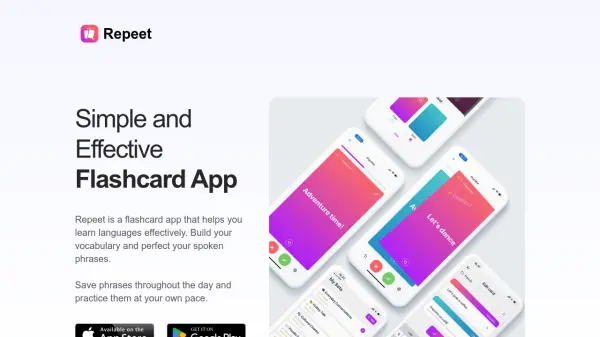
This application facilitates language acquisition through the use of digital flashcards. Users can create and save phrases or words encountered throughout their day, practicing them at their convenience to build vocabulary and master spoken phrases. The platform supports combining flashcards from various sets into a single practice session for comprehensive review.
It offers features like offline practice with progress synchronization upon reconnection and text-to-speech functionality for pronunciation guidance. Additionally, users can break down large sets into smaller 'chunks' for more manageable learning sessions and share their flashcard sets with others. A companion Chrome Extension allows users to translate selected web text and instantly create flashcards from these translations directly within their browser.
Features
- Practice Multiple Sets at Once: Combine flashcards from different sets for comprehensive review.
- Practice Offline: Learn anytime, anywhere, with progress syncing automatically when back online.
- Multilingual Support: Available in English, Danish, and Ukrainian, with more languages planned.
- Text-to-Speech: Listen to phrase pronunciation to aid learning.
- Chunks Feature: Divide large flashcard sets into smaller, manageable groups.
- Share Sets: Easily share flashcard collections with friends or classmates.
- Chrome Extension: Translate selected web text, view multiple options, edit, and create flashcards instantly.
Use Cases
- Learning new languages effectively.
- Building and expanding vocabulary.
- Practicing and perfecting pronunciation.
- Memorizing phrases and expressions.
- Creating personalized study materials.
- Collaborative language learning with friends.
- Translating and saving new words while browsing the web.