
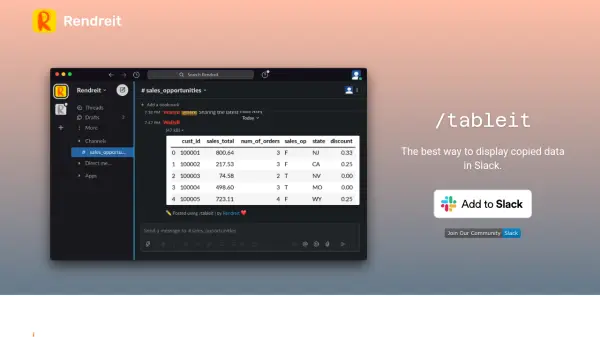
What is Rendreit?
Rendreit is a specialized tool designed to enhance data sharing within Slack by converting copied data into visually clear tables. It integrates directly into Slack using the /tableit command, allowing users to paste data from various sources like Excel, Google Sheets, SQL clients, or CSV files. The tool generates pixel-perfect tables that improve data readability and comprehension in team communications.
Users can preview the rendered table as an image before posting it to a Slack channel, ensuring accuracy and presentation quality. Rendreit prioritizes privacy by not saving user data, making it a secure option for handling sensitive information. This solution streamlines workflow by eliminating the need for manual formatting or external tools when sharing data in Slack.
Features
- Pixel Perfect Tables: Crisp rendered tables to help people make sense of the data.
- Privacy: Respects user privacy and does not save data.
- Slack Integration: Uses the /tableit command in Slack for seamless data sharing.
- Data Source Compatibility: Supports pasting data from Excel, Google Sheets, SQL clients, or CSV files.
- Preview Functionality: Allows previewing the image before posting to a channel.
Use Cases
- Sharing data reports from Excel or Google Sheets in Slack channels.
- Displaying SQL query results in a readable table format within team communications.
- Posting CSV data as formatted tables for quick team reviews.
- Improving data presentation in Slack to enhance team collaboration and decision-making.
- Securely sharing sensitive data without storage concerns due to privacy features.
FAQs
-
How do I use Rendreit in Slack?
Use the /tableit command in your Slack client, paste data from sources like Excel or CSV, preview the table, and post it to your channel. -
What data sources does Rendreit support?
It supports pasting data from Excel, Google Sheets, SQL clients, or any CSV file. -
Does Rendreit save my data?
No, Rendreit respects your privacy and does not save your data. -
Can I preview the table before posting in Slack?
Yes, you can preview the image of the rendered table before posting it to your channel.