What is ReclaiMe File Recovery?
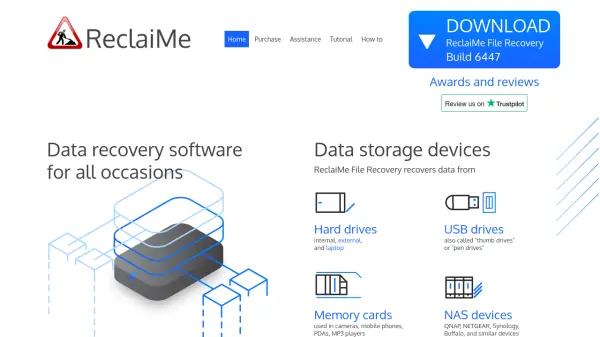
ReclaiMe File Recovery is a versatile data recovery solution designed to retrieve lost or deleted files from a wide range of storage devices. It supports hard drives, USB drives, memory cards, and NAS devices, making it suitable for both personal and professional data recovery needs. The software is compatible with multiple filesystems including FAT, exFAT, NTFS, ReFS, EXT2/3/4, XFS, BTRFS, APFS, HFS, HFS+, and UFS, ensuring broad coverage across Windows, Linux, and Apple systems.
This tool features a straightforward interface that requires no technical expertise, allowing users to preview recovered data before completing the recovery process. It includes a free RAID Recovery add-on for reconstructing RAID arrays and offers lifetime updates and support. ReclaiMe File Recovery runs on Windows but can recover data from Mac storage when attached to a Windows PC, providing flexibility for cross-platform recovery scenarios.
Features
- Wide Device Support: Recovers data from hard drives, USB drives, memory cards, and NAS devices
- Multiple Filesystem Compatibility: Supports FAT, exFAT, NTFS, ReFS, EXT2/3/4, XFS, BTRFS, APFS, HFS, HFS+, and UFS filesystems
- User-Friendly Interface: Requires no technical skills and allows preview of recovered data before completion
- Free RAID Recovery: Includes add-on for reconstructing RAID 0, RAID 5, RAID 0+1, RAID 1+0, and RAID 6 arrays
- Lifetime Updates and Support: Provides ongoing software updates and customer support
Use Cases
- Recovering deleted files and folders from accidentally formatted drives
- Restoring data from NAS devices like QNAP, NETGEAR, Synology, and Buffalo
- Photo recovery from memory cards used in digital cameras and mobile devices
- Data recovery from RAW filesystem drives and drives with boot failure
- Unformatting hard drives on desktop and laptop computers
FAQs
-
What operating systems does ReclaiMe File Recovery run on?
ReclaiMe File Recovery runs on Windows operating systems. It does not run on Apple Mac OS, but can recover data from Mac storage when attached to a Windows PC. -
What types of RAID arrays can the free RAID Recovery add-on reconstruct?
The free RAID Recovery add-on can reconstruct RAID 0, RAID 5, RAID 0+1, RAID 1+0, and RAID 6 arrays. -
Can I preview recovered files before completing the recovery process?
Yes, ReclaiMe File Recovery allows users to preview recovered data even before the recovery process is finished. -
What filesystems does ReclaiMe File Recovery support?
It supports FAT, exFAT, NTFS, ReFS, EXT2, EXT3, EXT4, XFS, BTRFS, APFS, HFS, HFS+, and UFS filesystems.