What is Random Color Palettes?
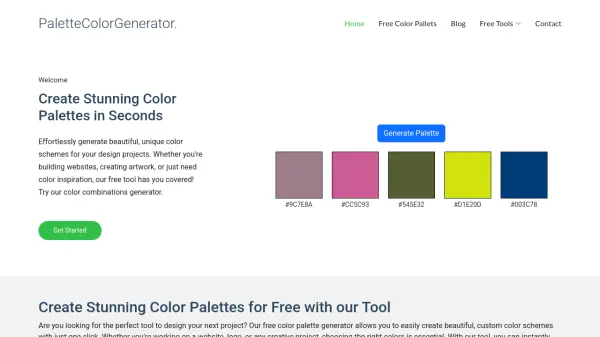
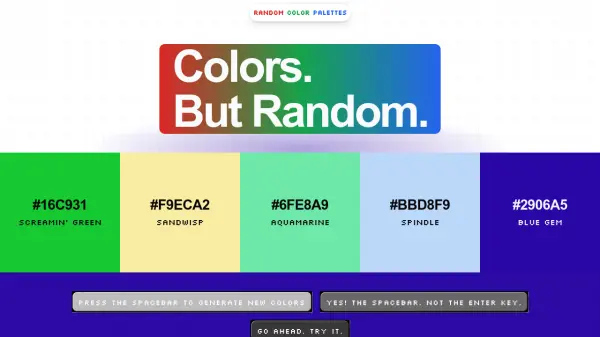
Random Color Palettes is a minimalist tool that generates random five-color palettes with a single press of the spacebar. It strips away complex color theory and harmonization features, offering a straightforward approach to color discovery. Users can instantly generate new combinations, making it ideal for quick inspiration or playful exploration. The tool also includes a built-in RGB or HEX converter for convenience.
Features
- Spacebar Generation: Press the spacebar to instantly generate a new random 5-color palette.
- Minimalist Design: No advanced options or filters, just pure random color generation.
- Color Code Display: Each color is shown with its HEX code for easy copying.
- RGB/HEX Converter: Built-in tool to convert between RGB and HEX color formats.
- Zero Fluff: No sign-up, no tutorials, just immediate color palette generation.
Use Cases
- Quick color inspiration for design projects
- Brainstorming color schemes for branding
- Exploring unexpected color combinations
- Fun break during creative work
- Teaching tool for color theory basics
FAQs
-
How do I generate a new palette?
Press the spacebar to instantly create a new random 5-color palette. -
Can I copy the color codes?
Yes, each color is displayed with its HEX code, which you can copy manually. -
Is there any color theory or harmonization?
No, the tool generates purely random colors without any advanced color theory or harmonization. -
Is the tool free to use?
Yes, Random Color Palettes is completely free with no sign-up required.