
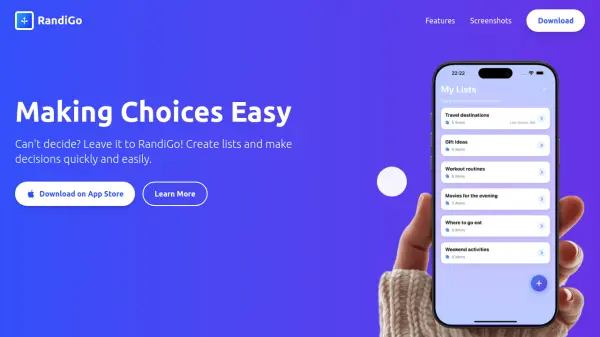

What is RandiGo?
RandiGo is an innovative mobile application designed to simplify decision-making by leveraging artificial intelligence to assist users in creating lists and making choices effortlessly. The app provides a fun and intuitive experience with features that enhance the selection process, making it ideal for everyday decisions such as picking movies, restaurants, or activities.
With a modern interface that includes smooth animations and dark theme support, RandiGo offers a comfortable and engaging user experience. It allows users to manage options by excluding previously selected items, track choice history, and access quick decisions through customizable widgets on their iPhone home screen, all while ensuring data backup via iCloud sync for premium users.
Features
- Create Lists: Easily create lists for any situation such as movies, restaurants, or activities.
- Smart Choice: Beautiful selection animation with visual effects to make decision-making exciting.
- Option Management: Exclude already selected items from future choices to get varied results.
- Choice History: Remembers previous choices so users can track what was chosen last.
- Widgets: Quick access to choices from the iPhone home screen with customizable widgets.
- Elegant Design: Modern interface with smooth animations and dark theme support for comfortable use.
Use Cases
- Deciding which movie to watch from a list
- Choosing a restaurant to visit from options
- Picking weekend activities from a curated list
- Making quick decisions for daily tasks using widgets
- Managing selections for events or outings with varied results
FAQs
-
How do I create a new list?
You can easily create a new list by opening the app and using the list creation feature for any situation, such as movies or restaurants. -
How does the choice selection work?
The choice selection uses smart algorithms with beautiful animations and visual effects to make the decision process exciting and effortless. -
Can I exclude previously chosen items?
Yes, you can exclude already selected items from future choices to ensure varied results in your decision-making. -
Can I use the app offline?
The app supports offline use for basic functions, but some features like iCloud sync may require an internet connection. -
Is my data backed up?
Data backup is available through iCloud sync for premium users, ensuring your lists and choices are securely stored.