What is QwikBanners?
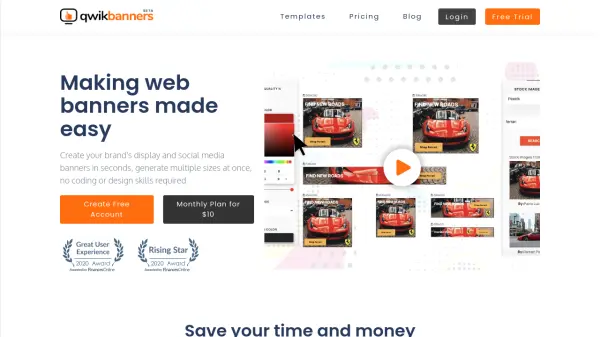
QwikBanners simplifies the process of creating display and social media banners. Users can generate multiple banner sizes simultaneously, saving time and money. The platform offers a library of high CTR templates, an inbuilt free high-resolution stock image search engine, and an intuitive editor for easy customization. It is designed for marketers, small business owners, and enterprises, enabling them to produce professional banners without complicated design tools.
Features
- Multi-size Banner Generation: Create multiple banner sizes in one go for display and social media.
- Ready-made Template Library: Access a growing collection of high CTR templates pre-designed for speed.
- Inbuilt Free Stock Images: Search and use millions of high-resolution, royalty-free stock images.
- Intuitive Editor: Easy-to-use editor for customizing banners to brand themes without complexity.
- Unlimited Downloads: No restrictions on the number of banner downloads.
Use Cases
- Creating display ad banners for online campaigns.
- Designing social media banners for multiple platforms.
- Generating A/B testing variations for ad creatives.
- Producing banner sets for agencies and campaign managers.
- Quickly resizing banners for different ad formats.
FAQs
-
Are there any softwares that need to be installed for using QwikBanners?
No, nothing needs to be installed. QwikBanners runs in your browser. -
Which browsers does QwikBanners work on?
QwikBanners works best on Chrome and Firefox. -
Are the stock images in QwikBanners free for commercial use?
Yes, they are completely free for commercial or personal use; no attribution is required. -
How do I use my brand logos and graphics?
You can upload them using the editor on the left-hand side. -
Does QwikBanners save my designs?
Currently, cloud storage is not provided for free and lite plans, but it may be available in future plans.