QuickyAI favicon

QuickyAI
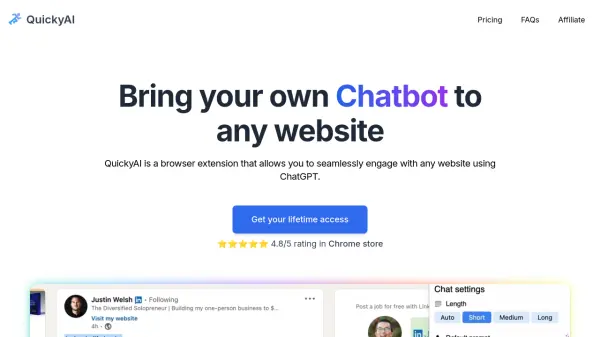
Bring your own Chatbot to any website

What is QuickyAI?

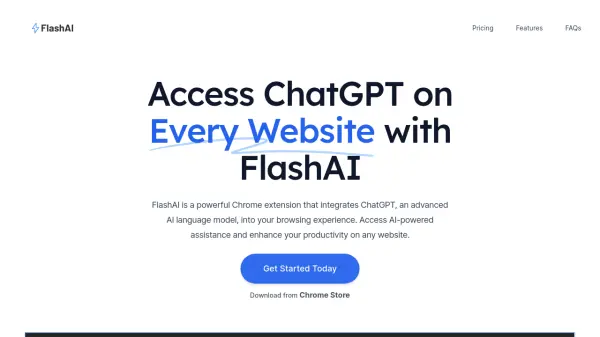
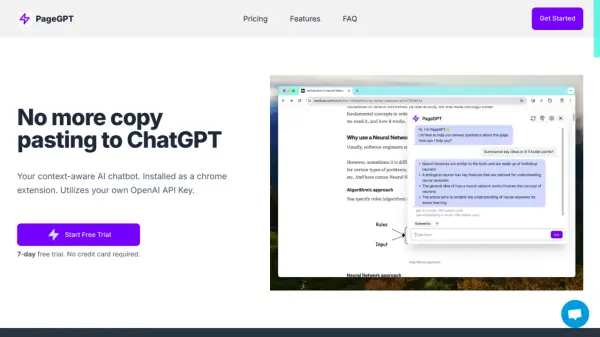
QuickyAI is a browser extension designed to enhance productivity by providing seamless access to ChatGPT across any website. It allows users to interact with web content directly through a chatbot interface, powered by their own OpenAI API key.

The extension offers a range of functionalities, including one-click summarization of web pages and articles, and the flexibility to choose from multiple GPT models, including the latest GPT-4o. Users can also take screenshots of websites, ask questions, and create custom prompts for various tasks.

Features

  • Instant ChatGPT access: Access ChatGPT on any webpage.
  • Chat with any webpage: Interact with website content using a chatbot interface.
  • Summarize in one click: Summarize articles and web pages with a single click or shortcut.
  • Multiple GPT models: Choose from various GPT models, including GPT-4o.
  • Capture and ask: Take screenshots and ask questions.
  • Custom prompts: Create and use personalized prompts.
  • Bring your own OpenAI key: Users can bring their own openAI API key.

Use Cases

  • Quickly summarizing articles and research papers.
  • Interacting with website content through a chatbot.
  • Asking questions about specific sections of a webpage.
  • Creating custom prompts for repetitive tasks.
  • Enhancing productivity by accessing ChatGPT on any website.

FAQs

  • Where can I use Quicky AI app?
    It's a Chrome extension that runs in your browser
  • Do I need to pay for OpenAI API Key?
    Yes, you need to bring your own OpenAI API key and pay for the cost incurred from your usage.
  • Can I create my own prompts?
    Yes, you can have your own prompt roles that help you with your own needs.
  • Does it support GPT-4?
    Yes! For GPT-4, we currently support GPT-4 and GPT-4 32k models.
  • How can I contact you through email?
    You can send all your doubts or questions related to QuickyAI to [email protected]

Related Queries

Helpful for people in the following professions

Related Tools:

Blogs:

  • Top 6 AI note-taking tools for 2026: in-person, online, and hybrid use cases

    Top 6 AI note-taking tools for 2026: in-person, online, and hybrid use cases

    Most AI note-taking lists are really lists of meeting bots, which join your video call and transcribe it. That's useful, but it's half the picture. Decisions happen in hallway conversations, client dinners, on-site visits, and hybrid rooms where nobody is on a video link. This guide covers different parts of the note-taking workflow: hardware capture for in-person settings, platform-native tools for online calls, and AI layers for organizing and synthesizing what you've captured. It compares six tools by capture context, workflow fit, pricing, and limitations.

  • Best AI Tools For Startups

    Best AI Tools For Startups

    we've compiled a straightforward list of user-friendly AI tools designed to give startups a boost. Discover practical solutions to streamline everyday tasks, enhance productivity, and gain valuable insights without the need for a tech expert. Learn where and how these tools can be applied in your startup journey, from automating repetitive tasks to unlocking powerful data analysis. Join us as we explore the features that make these AI tools accessible and beneficial for startups in various industries. Elevate your business with technology that works for you!

  • Ghibli Art Generator AI tools

    Ghibli Art Generator AI tools

    List of the best AI tools to turn your photos into images that look like Studio Ghibli movies. Easy to use and fun for everyone.

  • Top AI tools for Students

    Top AI tools for Students

    These AI tools are designed to enhance the learning experience for students. From personalized study plans to intelligent tutoring systems.

Didn't find tool you were looking for?

Be as detailed as possible for better results