Quarter favicon

Quarter
An AI Engineer for Your Team

What is Quarter?

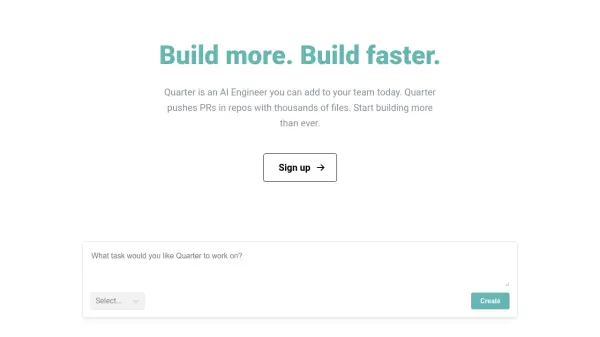
Quarter is an AI-powered engineer designed to seamlessly integrate into your development team. It autonomously handles various engineering tasks, including cloning repositories, indexing code, searching for relevant files, and pushing pull requests (PRs). Quarter is designed to be simple to use. Give a task to Quarter and it will get it done.

This AI engineer is capable of tasks such as writing tests, building features, refactoring code, adding CRUD endpoints, and updating documentation. By automating these processes, Quarter frees developers to focus on more complex and creative coding challenges.

Features

  • Automated Pull Requests: Quarter autonomously creates and pushes pull requests with code changes.
  • Codebase Navigation: Quarter clones, indexes, and searches through repositories with thousands of files.
  • Task Automation: Automates various engineering tasks, from writing tests to building features.
  • PR Comment Follow-up: Quarter responds to comments on pull requests, mimicking human engineer interaction.
  • Documentation Updates: Capable of updating project documentation.

Use Cases

  • Automating repetitive coding tasks.
  • Accelerating feature development.
  • Refactoring existing codebases.
  • Maintaining and updating documentation.
  • Adding CRUD endpoints to applications.

Related Tools:

Blogs:

  • Top 6 AI note-taking tools for 2026: in-person, online, and hybrid use cases

    Top 6 AI note-taking tools for 2026: in-person, online, and hybrid use cases

    Most AI note-taking lists are really lists of meeting bots, which join your video call and transcribe it. That's useful, but it's half the picture. Decisions happen in hallway conversations, client dinners, on-site visits, and hybrid rooms where nobody is on a video link. This guide covers different parts of the note-taking workflow: hardware capture for in-person settings, platform-native tools for online calls, and AI layers for organizing and synthesizing what you've captured. It compares six tools by capture context, workflow fit, pricing, and limitations.

  • Best AI tools for Room Design

    Best AI tools for Room Design

    Discover cutting-edge AI tools that redefine the art of room design. From layout optimization to aesthetic finesse, these top-tier tools enhance your space to new heights.

  • Top AI tools for Teachers

    Top AI tools for Teachers

    Explore the top AI tools designed for teachers, revolutionizing the education landscape. These innovative tools leverage artificial intelligence to enhance teaching efficiency, personalize learning experiences, automate administrative tasks, and provide valuable insights, empowering educators to create engaging and effective educational environments.

Didn't find tool you were looking for?

Be as detailed as possible for better results